
TL;DR:
A personal knowledge management system isn’t really about shiny apps, productivity tricks, or building a “second brain” overnight. It’s about solving a much simpler problem: not losing your thinking to the mess of daily life.
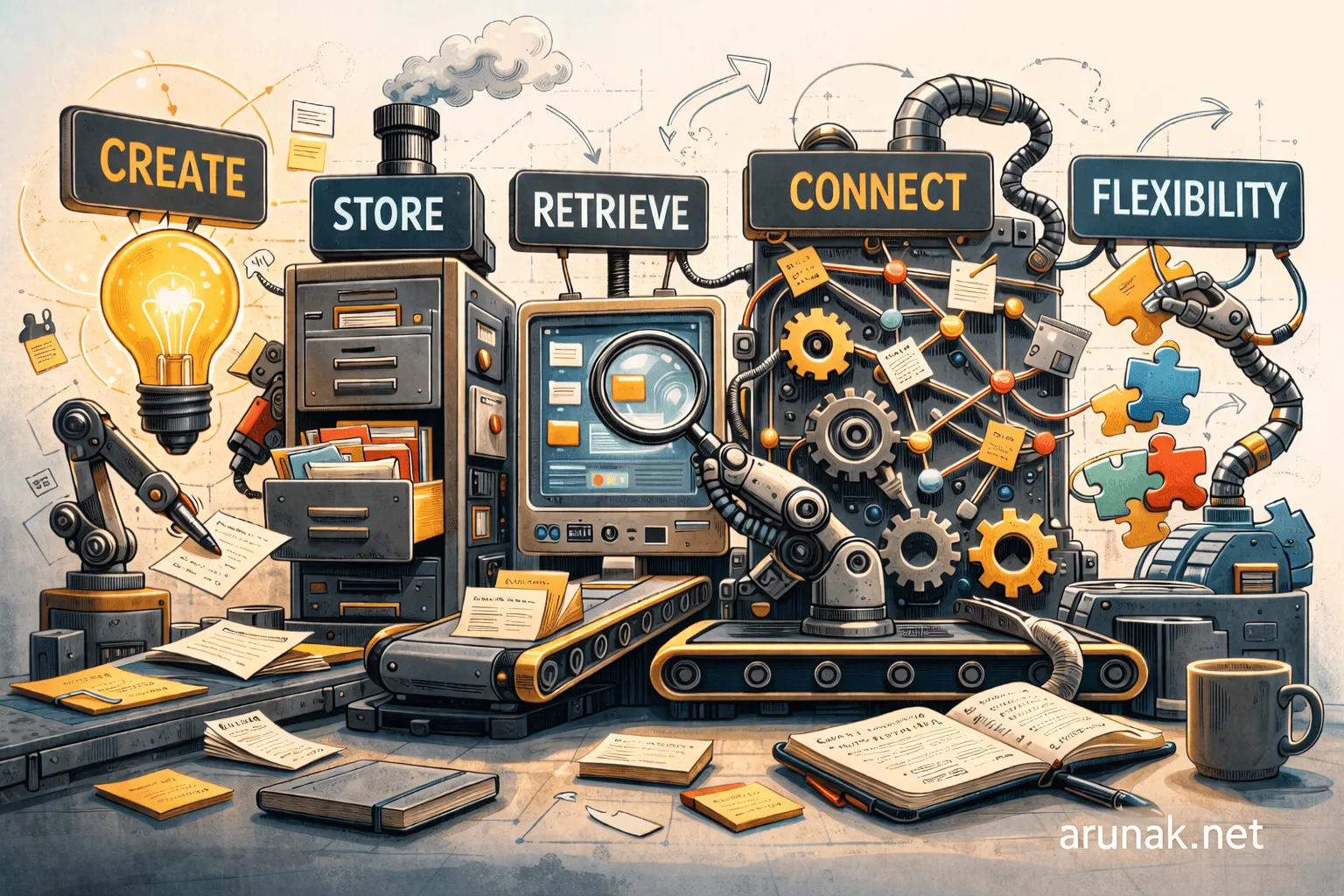
Over time, I found that a good PKM system needs to do five things well: help you create, store, retrieve, connect, and reshape information as your work and thinking evolve.
For me, Obsidian became the tool that did that best. Not because it forced a perfect system from the start, but because it let one grow naturally, over the span of five years.
On August 14, 2021, on my Obsidian daily note, I wrote, “I started using Obsidian, and I’m going to stick with it for a while.”
For the last four years, six months, and nineteen days, I kept that promise, and held my shiny object syndrome in check. The restless urge to jump from one nice-looking personal knowledge management system to another finally stopped, and I got to focus on what actually mattered: the work itself.
But, of course, there were blind spots along the way. Concepts like the “second brain,” and features that most apps swear will make you ten times more productive, never really made it into my practice, at least not in the first couple of years. Instead, I was using Obsidian mostly to track my day: daily tasks, scattered thoughts, and sometimes something as simple as my grocery list. Even today, with thousands of files and a setup far more layered than what I started with, I still spend most of my time on my daily note. Everything else starts from there.
And yet, looking back now, I realize that I finally did build a second brain. I just couldn’t do it by trying to build it from day one. Instead, it grew on its own, one note at a time, and it made possible so many things that would have been much harder to pull off otherwise, in both my personal and professional life.
It helped me recover half-formed ideas months after I first wrote them down. It helped me keep continuity across writing projects that would otherwise have gone cold. It gave my days a stable operational center when research, work, and life were all moving in parallel.
Obsidian has become one of the most, if not the most, frequently used app in my life today. On average, I actively work on something in Obsidian for thirty or more hours a week.
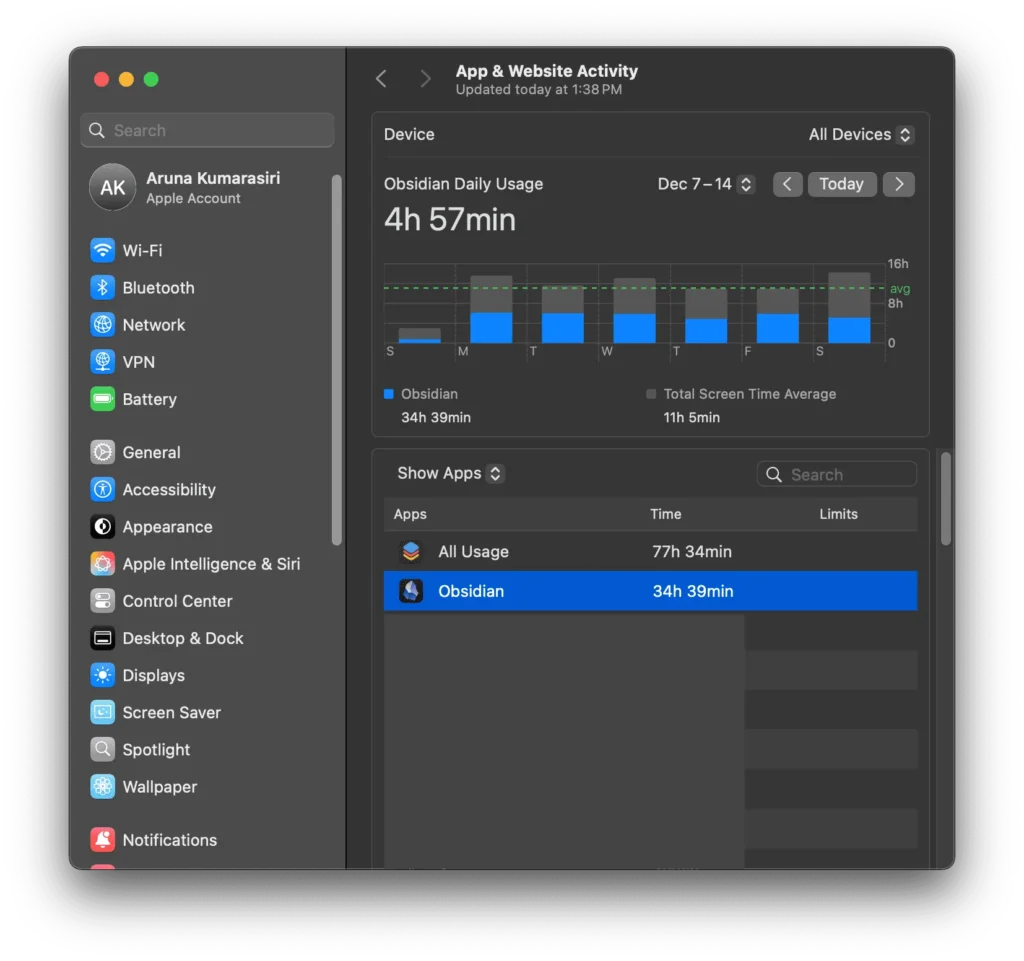
Even though Obsidian was my end point, the larger search for a workable personal knowledge system started way earlier, roughly about 10 years ago.
What I learned in that longer search is that the deeper lesson was never really about Obsidian itself. It was about understanding what problem a personal knowledge system is actually supposed to solve.
That is what this post is about.
Key Takeaways:
- A personal knowledge management system becomes useful when life starts producing more ideas, projects, decisions, and loose ends than your mind can comfortably hold.
- The real problem comes before choosing an app: forgetting good ideas, losing context, restarting projects, rethinking things you already worked through.
- A good PKM system makes five things easier: create, store, retrieve, connect, and stay flexible.
- Capturing information is only the beginning. What matters is whether that information can come back when you actually need it.
- Search helps, but good retrieval is bigger than search. It depends on links, tags, structure, and clear entry points back into your own thinking.
- A real PKM system isn’t just storage. It’s a working system where notes build on one another over time.
- Flexibility matters more than most people realize, especially once a system has real weight behind it: many notes, many projects, many connections.
- Note-centric tools are often better for long-term personal knowledge management because they let the system stay revisable at its smallest level.
- You don’t need to build a “second brain” on day one. You build a simple system first. Keep using it well, and it eventually becomes one on its own.
- The best PKM tool is the one you’ll still want to return to years later, without the system itself becoming a distraction from the work.
Table of Contents
Why do you need a personal knowledge management (PKM) system?
The problem comes before all the apps
It’s not natural to wake up one day and think, “I need a personal knowledge management system.” What usually happens is far more ordinary. You run into a series of small but relentless problems.
- “I know I’ve thought about this before, and wrote about it somewhere… where did I put it?”
- “I read something great last month and now it’s gone.”
- “I have ten projects going in parallel and I’m not moving any of them forward.”
- “So many meetings. How can I remember every single detail?”
- “I keep making the same decisions from scratch.”
And eventually, the feeling underneath all of that becomes something like this:
“I’m busy all day, and my mind is all over the place.”
This is a common pattern now. Modern life produces too many inputs, too many half-finished decisions, too many things scattered across disconnected places—notes apps, email threads, browser tabs, random docs—and too many context switches for our minds to carry on their own. What begins as a few small annoyances slowly, and inevitably, turns into a structural problem.
That was me, about ten years ago. I was desperately trying to come up with a system, or at least a way to store things somewhere so I could stop losing them to the fog of daily life.
At first, it didn’t look like an intellectual or philosophical problem. It just felt inefficient. I was rethinking things I’d already thought through, losing track of ideas that had felt valuable at the time, and returning to projects with no real memory of where I’d left them.
I wasn’t looking for an app. I was looking for a system.
My first attempts at solving it
So I started with the most obvious solution: carrying a physical notebook everywhere.
That helped, at least at first. I could catch thoughts before they disappeared, write things down quickly, and stop pretending I’d simply remember everything later.
But the notebook never really solved the whole problem.
True, it helped with capturing information, but not much else. A note written two weeks ago might as well have been buried. A useful idea was still useful, but only if I could find it again at the right moment. And if I’d written something related three months earlier in some other corner of some other notebook, connecting the two was nearly impossible.
Analog note-taking is linear. And with so many projects running in parallel, and moving around a lot, I was going to end up with the same problem either way.
So I tried digital tools.
For a while, the answer seemed to be a combination of Evernote and Microsoft OneNote. There weren’t many other choices available at the time anyway. They were clearly better than scattered paper notes. It was easier to store things, easier to search and easier to gather everything in one place.
But after a couple of months using both, combined with physical note-taking, I started noticing the same limitation across all of them: they were still mostly linear.
Notes accumulated over time, but they accumulated next to each other. They didn’t naturally invite re-entry, linkage, or resurfacing at the right moment. They stored information, but they didn’t help that information become part of an ongoing thinking process.
At best, they became piles of information stacked in slightly cleaner forms. Better piles, maybe. Searchable piles. But still piles.
But of course, this problem isn’t original or modern. Writers, scholars, and researchers have been dealing with some version of it for a very long time. Analog systems existed for exactly this reason, to preserve fragments, references, observations, and connections in ways that could be easily returned to later. Physical Zettelkasten systems are a good example.
But I was specifically looking for a digital system, partly because I was moving around a lot, and partly because I knew an analog system, however elegant, would eventually become impractical.
So the original problem still remained.
I needed a place to offload information. But I also needed that offloading to happen in a way that was systematic enough to be useful later. Not just somewhere to put things but somewhere from which they could return when I actually needed them.
That difference turned out to matter a lot.
Our brains are good at thinking, but not at storing
The crux of the issue is that our brain is good at thinking, but not particularly good as a long-term storage device. Decades of research on working memory, including George Miller’s landmark 1956 paper and Nelson Cowan’s subsequent work, show that we can only hold roughly three to five meaningful items in mind at once, and that working memory lasts about 20 seconds without active rehearsal.
So we lose track of:
- decisions we made, and the reasoning behind them
- interesting ideas we had refined in our minds
- patterns we noticed but never wrote down properly
- drafts and notes we started but didn’t finish
- half-formed plans we meant to return to later
- useful references we were sure we’d remember
And when there’s no system to hold any of this, we go back and forth rereading the same things, re-deciding issues we’d already worked through, and restarting projects from scratch even though we’d already moved well past that point. All of this, over time, makes life messy and therefore stressful, because we’re spending cognitive energy not on new work, but on continuously excavating the past.
This is where a knowledge management system becomes genuinely useful. It doesn’t just store every bit of information worth returning to in a systematic way. It also keeps irrelevant noise at a distance, the information we don’t need to carry around. It acts as a simple but efficient hub of knowledge that we can navigate with confidence, making things simpler, more coherent, and easier to build on over time.
The biggest lesson I learned over ten years of meddling with this concept is that the goal of building a PKM isn’t to make life more elaborate. It’s to use it as a magnifier, to zoom in on what actually matters while blocking everything else, to reduce the noise, the sheer volume of information we’ve been drowning in as a consequence of modern life.
A quick self-check: do you even need PKM?
If you’re on the fence about whether any of this applies to you, here’s a quick way to find out.
- Do you regularly lose good ideas before you can act on them?
- Do you reread notes because you can’t find the right ones?
- Do you have projects that aren’t going anywhere because you keep returning to the same starting point, the one you’ve already cleared more than once?
- Do you want to write more, or think more clearly, but feel like your mind isn’t quite ready, that it needs some kind of scaffolding to hold things in place while you work?
If you said yes to even one of those, a good, simple PKM system can make things much better.
What are the basic requirements for a personal knowledge management (PKM) system?
I judge a good personal knowledge system by five questions.
- First, how easy is it to create something in it?
- Second, how easy is it to store what you captured where it belongs?
- Third, how easy is it to retrieve information when you need it?
- Fourth, how easy is it to connect one piece of information to another?
- And fifth, how flexible is it? can the system bend to match your evolving workflows, or do your workflows have to bend around the system?
If any system, built on any software or app, helps you do those five things well, it’s doing its job. That system is working for you. If it doesn’t, you’re working for the system.
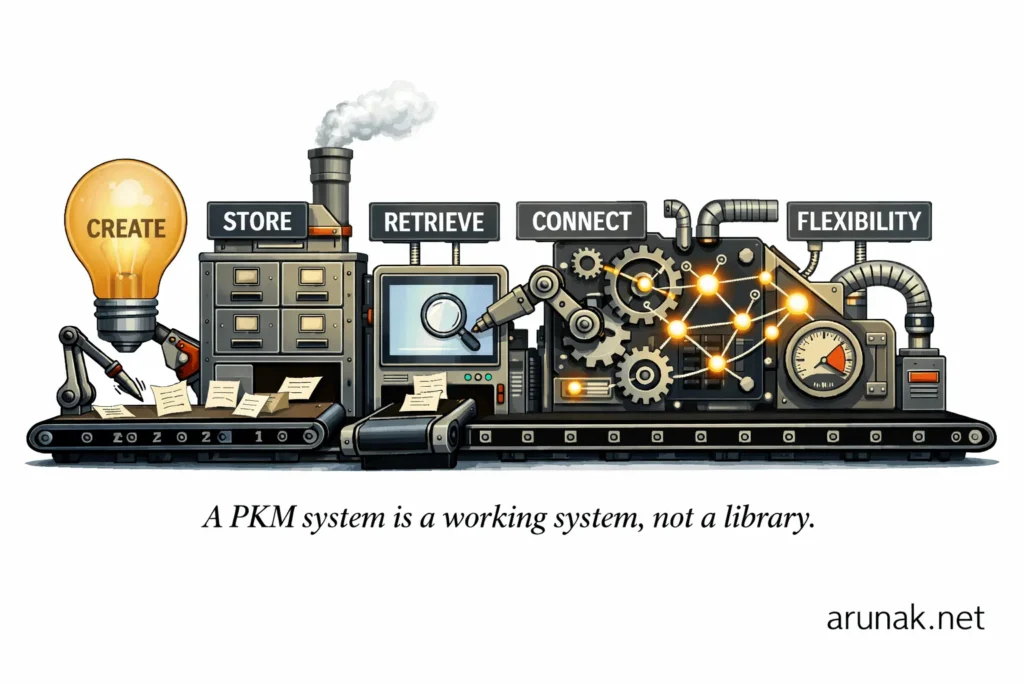
Here’s a brief explanation of what each of these five categories means and why they matter for a well-functioning personal knowledge management system.
Create
This is everything related to input.
Every PKM tool supports this, of course, but the act of creating a note, especially in terms of speed and ease, can vary significantly from one tool to another.
Say I want to create a note inside a folder structure. How fast can I do it? Does it take a couple of button clicks and a few seconds, or can I do it without lifting my hands from the keyboard, in a fraction of a second? The difference in efficiency between those two approaches is enormous when you think about daily use.
So this category isn’t just “can I make a note?” It’s asking: how easily can something enter the system?
Some of the capabilities involved here include: writing notes, quick capture, templates, web clipping, media embedding, daily notes, frictionless note creation, mobile capture, voice input, and AI-assisted drafting or summarizing.
Store
This is everything related to durability, structure, and ownership.
This category asks: how quickly can I store something, can I trust this system to hold my knowledge over time, and is there a way to store things systematically, through folder structures, tags, and metadata?
Some of the capabilities involved here include: local-first storage, cloud sync, file format longevity (Markdown, for example, ages well; proprietary formats like Roam’s database structure are tied to the platform and harder to move), backups, exportability, folder structure, metadata, attachments, version history, and data portability.
Retrieve
This is one of the most popular categories in the whole PKM space, and it’s also one of the most important.
It’s also worth noting that retrieval is bigger than just search. A Microsoft Word document can search through its own contents. That’s not what makes a PKM a PKM.
What makes retrieval in a PKM different is that it’s not just about finding a specific note you remember writing. It’s about ability to re-surface the right information at the right time, including things you’ve forgotten, things you didn’t know were connected, and things that become relevant only in the context of what you’re working on now. A good retrieval system doesn’t just provide queries, it participates in your thinking.
Some of the capabilities involved here include: full-text search, fast search indexing, filtering, tag search, metadata queries, saved searches, backlinks as a discovery layer, graph-assisted discovery, OCR and search inside attachments, semantic or AI search, and database views.
Connect
This is the step where a note-taking app becomes a personal knowledge management system.
Storage is passive. Connection is active. A PKM isn’t just a place to put things, it’s a networked knowledge environment, where notes can reference each other, build on each other, and surface unexpected relationships over time. Modern PKM apps offer more than a few ways to make those connections.
Some of the capabilities involved here include: bidirectional links, backlinks, unlinked mentions, tags, aliases, graph view, embeddings, transclusions, linked mentions, maps of content and index notes, semantic associations, and plugins that help surface related notes automatically.
Flexibility
This fifth category wasn’t obvious to me until I’d spent about two years with one app and accumulated over a thousand notes. That’s only when it revealed itself, because flexibility only becomes visible when there’s enough weight on the system to test it. Whatever app you build your PKM system on, it needs the capacity to adapt: to change workflows, restructure categories, rename conventions, and absorb the natural evolution of how you think. The system should funnel that growth through the path of least resistance, not fight it.
Today, for me, this is the most important category of all five. And once I noticed it, there was no question that a good PKM system has to be built on a foundation that can change without breaking apart.
Having used many different PKM apps over ten years, the way I think about this now is that there are two broad types of tools available: note-centric tools and structure-centric tools.
A note-centric tool is built around the note itself as the fundamental unit: small, revisable, and free to connect in any direction. A structure-centric tool is built around predefined formats and architectures that shape how your notes can evolve before you’ve written a single one.
Put it differently, a note-centric tool is like building with LEGO bricks. A structure-centric tool is like furnishing a house that’s already been built.
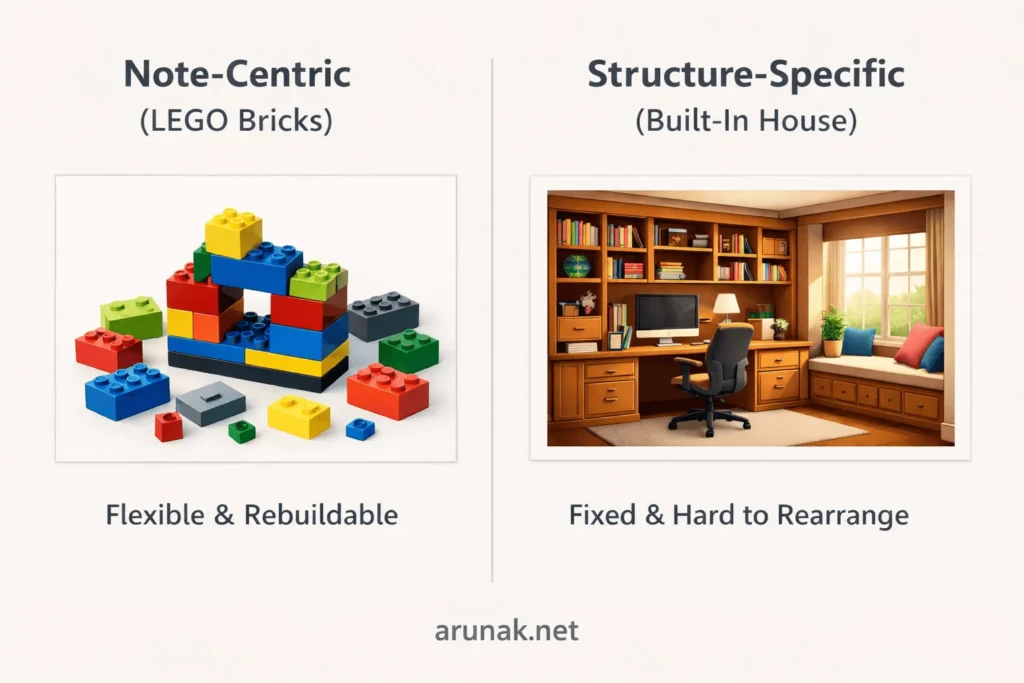
For personal knowledge management, note-centric tools like Obsidian are more powerful. A PKM isn’t supposed to just store finished ideas. It has to hold fragments, uncertainties, loose connections, and thoughts that are still forming. In that kind of environment, flexibility matters more than predefined structure.
Because a note-centric system is built from small, revisable units, it can change as your understanding changes. Tags can be renamed, links can be redrawn, categories can disappear, and the system still holds. For serious thinking, a system should remain revisable down to its fundamentals, no matter how complex it gets over time.
On the other hand, tools like Notion, where the structure is already well defined, are excellent for team collaboration, project management, shared documentation, and anything where the shape of the work is known in advance. But for personal knowledge management, where structure often has to emerge slowly over time, a note-centric tool has the deeper advantage, at least over a long period of time.
This category matters because people don’t just use PKM systems. They grow into them. A rigid tool may work at first, but collapse under its own weight when your thinking changes.
Some of the capabilities involved here include: user-owned ecosystems, open-source foundations, community-driven development, customizable workflows, plugin ecosystems, scripting and automation, theme and UI customization, tag renaming, note refactoring, flexible folder structures, multiple organizational styles, AI integration, interoperability with other tools, no forced workflow, and support for systems that evolve over time.
What is the best personal knowledge management app?
Now comes the part where we get to look at the actual tools.
I started using Evernote almost eleven years ago as my first attempt at a PKM tool, and since then I’ve used at least ten different apps. Here, I’ve chosen to compare five of the most popular ones available today. Most other apps in this space fall somewhere along the same spectrum as these five, similar enough in functionality and overall approach that comparing them covers most of the ground worth covering.
Here are the five apps, in the order I used them, and the time period I spent with each.
| Tool | Positioning / Model | Time Used | Notes |
|---|---|---|---|
| Evernote | capture-and-retrieve heavyweight | 2 years | — |
| OneNote | mainstream notebook model | 1.5 years | overlapped with Evernote |
| Notion | structured workspace / docs + databases | 8 years | currently using, but not as a PKM tool |
| Logseq | graph + outliner + local-first thinker’s tool | 6 months | before this, used its predecessor Roam Research for 1.5 years |
| Obsidian | local-first, customizable power-PKM | about 5 years | currently using |
The rating scale:
- 10 = category-defining strength
- 8–9 = clearly strong
- 6–7 = good, but with meaningful limits
- 4–5 = present, but not a major strength
- 1–3 = weak for serious PKM use
Formula:
The comparison
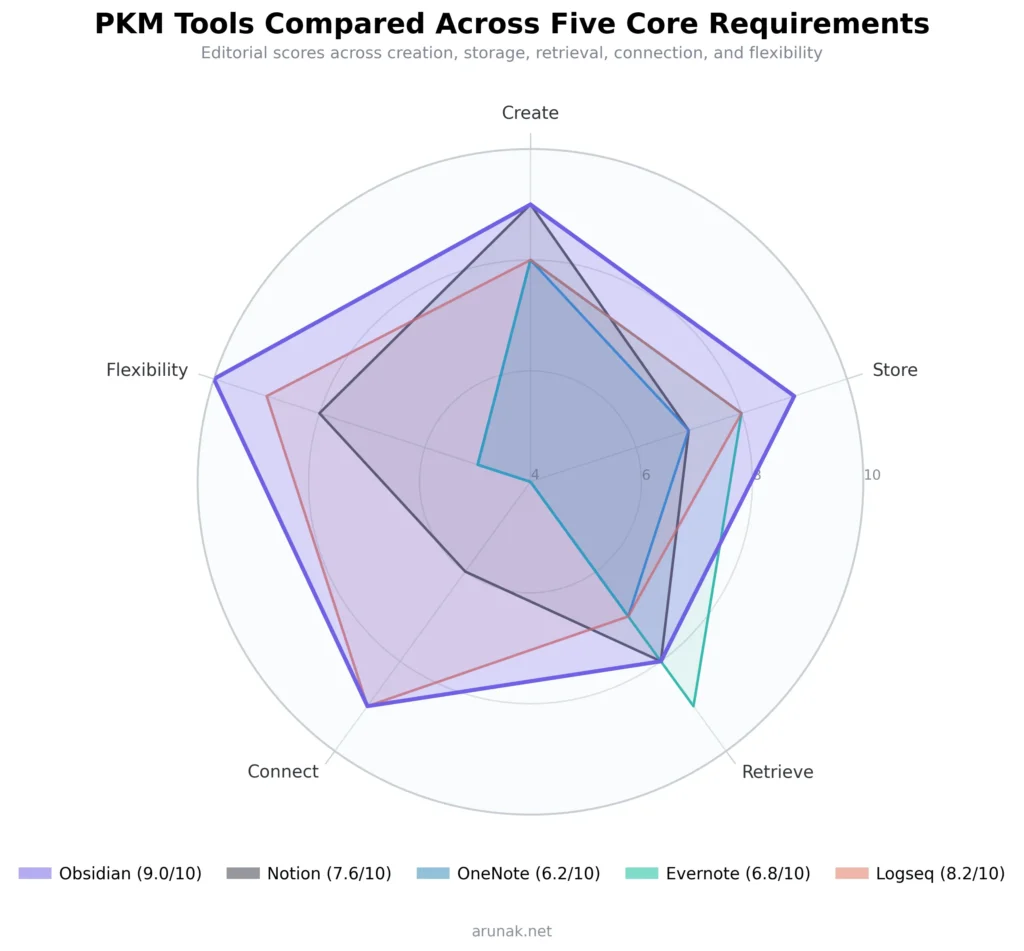
| App | Create | Store | Retrieve | Connect | Flexibility | Overall |
|---|---|---|---|---|---|---|
| Obsidian | 9 | 9 | 8 | 9 | 10 | 9.0 |
| Notion | 9 | 7 | 8 | 6 | 8 | 7.6 |
| OneNote | 8 | 7 | 7 | 4 | 5 | 6.2 |
| Evernote | 8 | 8 | 9 | 4 | 5 | 6.8 |
| Logseq | 8 | 8 | 7 | 9 | 9 | 8.2 |
Why each app got the score it did
Evernote — [8, 8, 9, 4, 5]
| Category | Score | Notes |
|---|---|---|
| Create | 8 | Evernote remains strong for capturing information (notes, scanning, clipping, PDFs, and AI-assisted drafting). Capture has always been central to its identity, and it shows. |
| Store | 8 | Evernote is built to be a durable home for captured material. It’s also pretty good at keeping clipped and scanned content stored and searchable over time. |
| Retrieve | 9 | This is Evernote’s signature category. Advanced search, searchable clips and documents, and newer AI and semantic search features make retrieval one of its biggest strengths. |
| Connect | 4 | Evernote is a capture-and-retrieve system, not a networked-thought environment. Backlinks, graph structure, and non-linear idea development are not part of what it does. |
| Flexibility | 5 | Evernote has been gradually improving its AI features, but it remains relatively rigid compared to plugin-heavy, local PKM tools. |
OneNote — [8, 7, 7, 4, 5]
| Category | Score | Notes |
|---|---|---|
| Create | 8 | OneNote is a great choice for notebook-style capture, handwriting, clipping, mixed media, and quick note entry. It’s especially strong if handwriting or freeform page layout matters to you. |
| Store | 7 | Good for mainstream note storage and sync, but not especially strong on openness or long-term portability compared to local plain-text systems like Obsidian or Logseq. |
| Retrieve | 7 | OneNote’s search is genuinely good, though I’ll admit I’ve never leaned on it heavily myself. Microsoft’s documentation says it can search typed text, handwriting, images, and spoken words in audio and video, and it supports OCR and tag-based retrieval. |
| Connect | 4 | This is where OneNote falls behind serious graph-style PKM tools. It’s much better as a digital notebook than as a relationship-dense knowledge network. |
| Flexibility | 5 | You can organize notebooks, sections, pages, tags, and clippings, but the system isn’t highly extensible in the way Obsidian or Logseq are. Capable, but not especially moldable. |
Notion — [9, 7, 8, 6, 8]
| Category | Score | Notes |
|---|---|---|
| Create | 9 | Notion is very strong for creating notes, structured pages, team wikis, and database-backed content. Its AI-assisted writing and transformation features are among the best in the PKM space. |
| Store | 7 | Notion stores a lot of information effectively, but from a PKM perspective it’s less portable and less user-owned than local Markdown tools. Its strength is structured workspace storage, not long-term file sovereignty. Notion does offer integrations and an API, which helps, but it’s still primarily a proprietary workspace, and this score reflects that tradeoff. |
| Retrieve | 8 | Notion is strong here because of its search, database structure, wiki architecture, and AI retrieval capabilities. It’s meaningfully better than a simple notebook model for finding information. |
| Connect | 6 | Notion can connect information through linked pages, databases, relations, and wiki structures, but it isn’t fundamentally built around bidirectional, graph-native knowledge development the way Obsidian or Logseq are. |
| Flexibility | 8 | Notion is highly flexible in workspace design, databases, documentation systems, and integrations. But it still channels you toward a more structured, platform-shaped way of working. The way I think about it: in Notion, the structure is built with the notes, not around them, and not after them. The architecture comes first, and the notes live inside it. |
Logseq — [8, 8, 7, 9, 9]
| Category | Score | Notes |
|---|---|---|
| Create | 8 | Logseq (and Roam Research, which I used for about a year) is strong if you like outlining, daily journals, block-based capture, and thinking in bullets. It’s a good app for jotting things down quickly. It’s not designed for writing, though. For anyone who wants a writing environment, it can feel less natural than Obsidian or Notion, which is why I’d keep it slightly below a 9. |
| Store | 8 | Logseq is local-first and works with Markdown and Org-mode files, which makes it strong from a portability and ownership perspective. |
| Retrieve | 7 | Logseq supports search and powerful queries, but retrieval still sits below Evernote and slightly below stronger structured-search systems, unless your workflow is specifically query-oriented. |
| Connect | 9 | This is a major strength. Backlinks, graph view, block references, embeds, and query-driven relationships make Logseq one of the clearest leaders in the Connect category across the whole PKM space. |
| Flexibility | 9 | Open source, local-first, plugins, whiteboards, and a highly moldable workflow make Logseq very flexible, though, Obsidian still feels broader and more mature as an extensibility platform. |
Obsidian — [9, 9, 8, 9, 10]
| Category | Score | Notes |
|---|---|---|
| Create | 9 | Obsidian is excellent for fast note creation, Markdown-based writing, templates, daily notes, Canvas, and rich plugin-based workflows. Its capture layer is very strong, though native clipping isn’t as central or iconic as Evernote’s. Obsidian also supports visual ideation through Canvas and can be used for mind mapping. |
| Store | 9 | This is one of Obsidian’s biggest strengths. It’s local-first and built on plain Markdown files, which gives you strong ownership and portability. That makes it structurally better for long-term PKM than tools that keep you inside a more proprietary environment. |
| Retrieve | 8 | Obsidian is very good at retrieval, especially through links, backlinks, and plugins. But compared to tools centered on enterprise search or semantic retrieval, I’d stop short of a 9 or 10 by default. |
| Connect | 9 | This is one of the clearest leaders in this category, and one of the biggest reasons I use it every day. Linking, backlink-driven navigation, and graph-oriented knowledge structure all make relationship-building feel natural and effortless. |
| Flexibility | 10 | This is where Obsidian is hardest to beat. Plugins, themes, plain Markdown files, custom workflows, Canvas, and broad extensibility make it unusually adaptable. Renamable tags alone were a game changer for me. |
Obsidian as a personal knowledge management system tool
So why Obsidian?
In practice, people use PKM systems for different purposes, often at the same time.
- Everyday admin: keeping track of school schedules, vendors, appointments, and other recurring tasks
- Project management: notes, PDFs, meeting notes, and progress snapshots
- Writing and research: outlines, research work, blog posts, social media posts, and half-formed thoughts worth developing
- Tasks and planning: next steps, daily checklists, planning loops, and lightweight systems like GTD or PARA
- Journaling: daily notes, reflections, and daily, weekly, monthly, and yearly reviews
In my own case, it became a mixture of all of these.
Some days Obsidian is the operational center of my work. Some days it’s just a writing environment. Some days it becomes the place where I come to think and refine ideas. And it’s also where I plan my day, week, month, and year.
It’s useful to do all of this in one place, and I spent years trying to do the same thing across many apps, Notion in particular. But as the number of notes grew, the system kept getting messier, and eventually I found myself working for the system rather than the other way around, continuously trying to keep things tidy instead of actually doing the work.
That changed when I moved to Obsidian.
The reason Obsidian works best for me—and why it overshadows the first four categories of create, store, retrieve, and connect—is flexibility. When I notice a part of the system starting to get messy, say in the third year of using it, all I have to do is rename a tag, or split a note into smaller pieces and relink them, or just restructure a folder. That’s it. No migration, no rebuilding from scratch. The system adjusts and holds really well. I find that really hard to beat compared to every other PKM app I’ve used.
This also explains why I spent about six years jumping between apps before landing on Obsidian. Flexibility isn’t something you can evaluate or appreciate on the first day of using a PKM tool. It only becomes visible once the system has real weight behind it; hundreds of notes, evolving workflows, shifting projects. That’s when a rigid system starts to crack, and a flexible one proves its worth.
That said, every person has their own way of handling these things. Some like keeping everything in one place. Others prefer splitting their tools on purpose: a separate app for tasks, another for writing, another for reference. Both approaches work.
So the common thread shouldn’t be the tool, but the system. The best system for you can potentially be built on any of the five apps I mentioned above, or on any other tool in the space that fits how you think and work.
Conclusion
So the right tool is the one you’ll actually want to stick with, that you always want to come back to, specially in the long run.
But one thing I can say for anyone starting their PKM journey, regardless of which app they choose: it only helps if you don’t turn it into a side quest. Your system has to earn its complexity, it shouldn’t be forced.
Start small and stay small, until complexity is demanded.
And when it demands it, it helps to already be settled into an app that can grow with you, one that offers the path of least resistance toward a system that’s shaped around how you actually think and work. Because when that happens, no matter how complex the system gets over time, you want to come back to it. It stops feeling like a tool and starts feeling like an extension of your personality, of how you think, how you plan, how you act.
For me, that’s what Obsidian became. Today, when I come across an automation idea, a workflow I want to try out, or a new way of organizing something, I don’t think “what app can I use for this?” I think “how can I do this in Obsidian?”
That’s the sign a system is truly working for you.
FAQ
What is a PKM system?, and is it the same thing as a “second brain”?
A PKM system is the set of processes used to collect information and then reliably find and reuse it in a meaningful way.
A well-built PKM system can support both your personal and professional life, and it’s what finally puts an end to “I know I read this somewhere.”
But a PKM system and a “second brain” aren’t necessarily the same thing.
A second brain, in this context, is a system that works for you. In practice, a PKM system crosses that threshold somewhere along the way—after enough time using it, and enough information stored in an accessible, structured way—until it starts doing the thinking alongside you rather than waiting to be told what to do.
Nobody builds a second brain on day one. Rather, you build a good, simple PKM system. If you keep it simple for long enough, while feeding it consistently and structurally, it becomes a second brain on its own. And when that happens, it has the potential to change how you think, work, and move through the world.
Do I even need PKM, or is this just a fancy way to procrastinate?
If you keep a lean digital footprint, your projects are few, you naturally remember what you want to remember, or you prefer a physical system, you might not need one.
But if your mind is carrying too many open loops, if that weight creates mental fatigue over time, if you keep restarting projects from the same place, constantly searching for information you know you saw somewhere, or repeatedly redoing thinking you’ve already done, that’s a clear sign a PKM system can help.
Research is pretty blunt about one part of this: working memory is severely limited, often summarized as roughly three to five meaningful items in active focus at any one time.
So when your day exceeds that—and modern days do—you either externalize or you forget, often without even realizing it.
A PKM system steps in here. At its core, what it does well is cognitive offloading: putting the important things somewhere structured and accessible, so your mind can stop holding on and get back to actually thinking.
Why do people choose Obsidian, and what does “local-first” actually means?
In a local-first PKM app like Obsidian, notes live as plain files on your own device, not trapped inside a platform-shaped database. So the system can grow complex over years without becoming fragile.
Because at the end of the day, no matter how complex the system gets, or how many notes accumulate, it’s just a folder of plain text files sitting on your own computer.
I find this genuinely reassuring, because Markdown files aren’t controlled by any company. Thousands of tools can read them. If Obsidian disappeared tomorrow, every note would still be there, readable in any text editor. That kind of long-term portability is hard to find in tools that store everything in a proprietary format, and it’s one of the clearest reasons to build on plain text from the start.
It also changes your risk profile. Obsidian emphasizes local storage and privacy, and if you choose its Sync service, it uses end-to-end encryption. So the hub of your life, where everything important lives, doesn’t have to sit in a public cloud by default.
What’s the simplest way to start with a PKM system, so I don’t spend three weeks building a system instead of using one?
Starting with a single operational center has been one of the best lessons I’ve taken from ten years of building and rebuilding these systems.
For me, that center has always been the daily note. This is something almost every PKM app, including Evernote, Obsidian, and Notion, either comes equipped with or can be set up to support in a few minutes.
The system will get bigger and more layered over time. But those layers work best when they all feed back into one place, somewhere to land, orient, and pick up where you left off.
Should I organize with folders, tags, links, MOCs, or a framework like PARA or Zettelkasten?
The availability of these methods and features varies quite a bit across different PKM apps.
So the point is to decide on the job first, not the method.
Folders are good for separation. For example, projects, clients and areas you want kept distinct. Tags are good for statuses and cross-cutting labels. Links are for building connections between ideas. MOCs are for entry points: the human-friendly table of contents that pulls related notes into one place, like a home base.
In Obsidian, my folder structure is built around PARA (Projects, Areas, Resources, and Archives). I’ve always liked it because it dramatically reduces the time I spend on the Create step because I already know where something goes before I’ve finished writing it.
PARA is great when your life is driven by active commitments. Zettelkasten is great when your life is driven by thinking and writing. The mistake is forcing one framework to do every job. The win is letting the system organically support both over time (action-oriented structure and idea-oriented networks, side by side).
What should I capture, and what should I not capture, so I don’t end up with a “huge mess”?
Capture shouldn’t be the goal. Reuse is the goal.
If you capture everything, your vault becomes a storage unit. The anxiety goes down for a week because you’ve “at least saved it” but then climbs again, because everything is just piled together without any structure to make it findable or useful.
So, there are two decisions to make before capturing anything.
First, is it something that strengthens or extends what’s already in the system? Is it something worth coming back to?
Second, how to connect it: through tags, bidirectional links, a folder, or something else. Without this step, there’s no PKM system. Just a messy storage unit.
How do I make notes easy to find later, beyond just “search”?
Search is necessary, but it’s not enough to make a good PKM system work.
Retrieval in a real PKM system is a combination of three things: naming notes in a way you’d actually think to search for them, leaving systematic trails through links, MOCs, tags, and properties, and having a couple of reliable entry points so you’re never starting from zero.
Obsidian supports deep retrieval through core search operators, backlinks, and link-based navigation, so I’m not limited to keyword matches. But in practice, what I ended up relying on most is a combination of nested tags, properties, and links.
One habit that paid off for years was adding a “related” section to every note.
How do I connect notes in a way that actually improves thinking and writing?
Connecting information in a PKM system is about saving future you from having to rebuild context from scratch.
The simplest rule is to link when a relationship between notes wouldn’t be obvious six months from now For example, a concept to its example, a decision to the constraints behind it, a project to the research that justified it.
Over time, these links become paths back into your own thinking. And that’s the real payoff of networked notes, because those paths are not something the brain can reconstruct on its own. This is where a PKM system organically becomes a second brain.
How do build a PKM system in a way that its easy to find the right thing at the right time?
This is a quality that only shows itself six months to a year into building a system, and it’s why most PKM systems end up as graveyards of information.
The best solution I’ve found over the years is this: no matter how complex the system gets, the spine of it should stay simple.
What that means in practice is a handful of tags, expandable through nesting, a structured folder system like PARA, and a small, well-thought-out set of properties. That’s should be the core. Everything else will eventually grow around it.
Can I manage tasks and projects inside Obsidian, or should tasks live elsewhere?
Tasks can be managed in Obsidian, though it’s not as robust as apps built specifically for this purpose, like Todoist, TickTick, or Things.
Obsidian isn’t a task management app. It’s a PKM app. But that never stopped me from using it for tasks too.
What I do is create tasks in my daily notes using checkboxes, which you make by typing – [ ]. My calendar is always open on the right panel, linked to the daily notes. At the end of the day, if there are unchecked boxes, the calendar entry for that day shows it clearly that there are still open tasks.
That system works well for me. It keeps tasks close to the context they belong to, right next to the notes, decisions, and thinking that generated them in the first place.
If your tasks are heavily collaborative, calendar-driven, or need strict reminders, you may still want a dedicated task manager. But even then, Obsidian can stay at the center: holding your projects, meeting notes, decisions, and state-of-play snapshots, while another app handles the notifications.
Is Obsidian “future-proof,” and when is another app a better fit?
Obsidian’s durability argument is straightforward. It stores notes as plain Markdown files inside a folder on your own device, so your knowledge isn’t trapped in a proprietary database. You can open those files in any other editor and manage them through your normal file system. If you want syncing across devices, Obsidian Sync uses end-to-end encryption. The system is yours, and it stays yours.
That said, other tools have real advantages depending on the work and the person.
Evernote leans hard into capture: web clipping, broad search across PDFs and documents, and a strong archive-friendly structure that can be decisive for workflows built around collecting and retrieving. Notion is excellent when you want database structure and easy sharing. Logseq is privacy-first and open source, with Markdown and Org-mode support, and it appeals particularly to outline-first thinkers. Roam Research is explicitly built around networked thought, with graph-style linking and an outliner at its core.
So a good rule of thumb is : pick the tool that’s best shaped for your personal workflow.