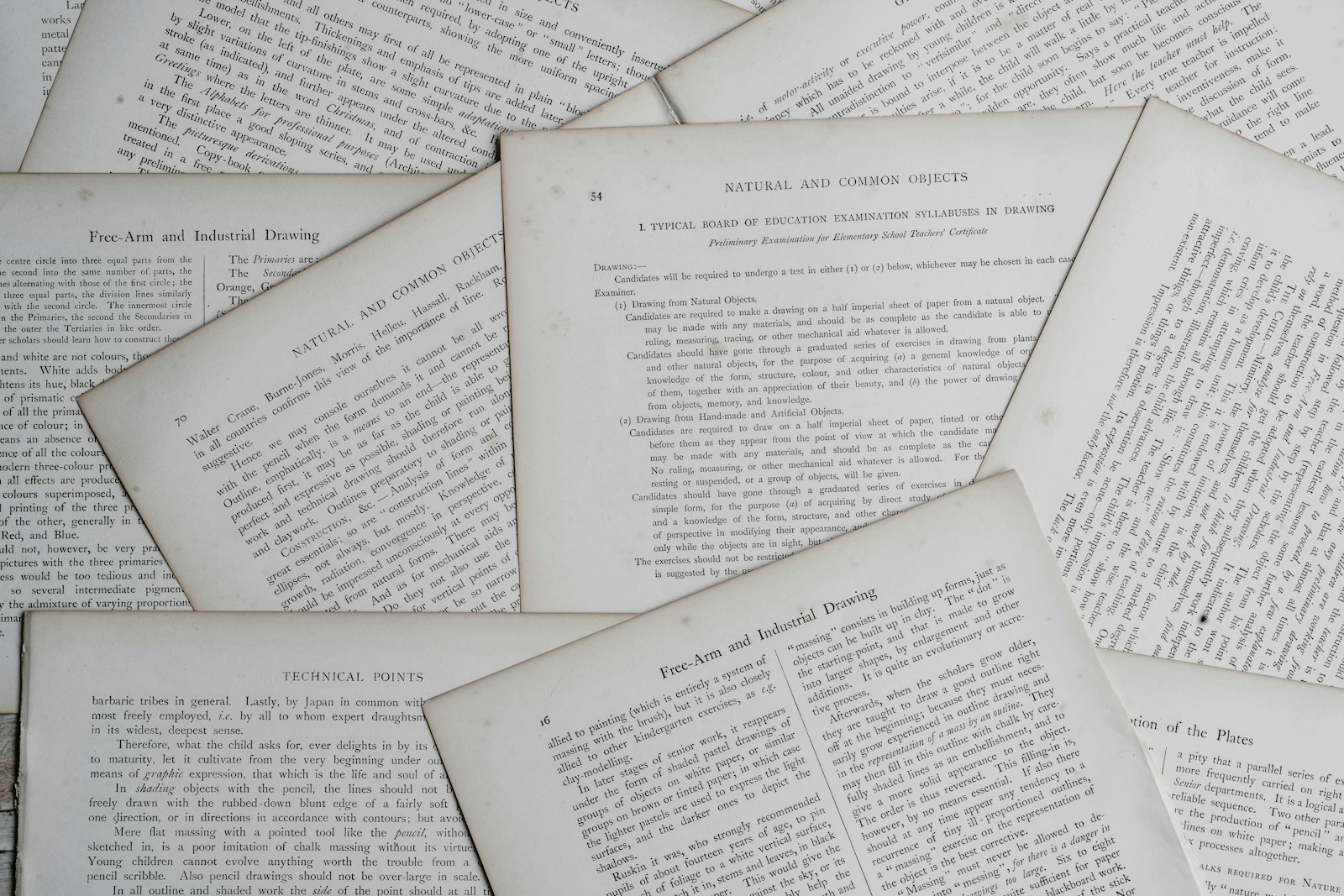
During the first year of my PhD, I remember spending an embarrassingly long time trying to find a research paper I’d just read but somehow got lost in the shuffle.
The number of papers to read wasn’t going down either, so I desperately, and immediately, needed a system to manage all the input before I drowned in PDFs. That’s when I started hunting for an answer to a problem a lot of grad students eventually turn to: how to organize research papers.
I’ve probably spent too much time on this, but my shiny object syndrome didn’t all go to waste. I finally found a system that works, and it served me really well. For the next three and a half years, I never had to waste time looking for a paper I knew I’d read somewhere.
That said, there’s no universal research management system that works for everyone. The software and workflow someone is comfortable using to manage their research papers might be completely different from mine. But the basics of organizing research papers tend to stay the same.
This post covers those basics of how to organize research papers and the tools I use to organize mine.
Table of Contents
When useful information appears
A proper file management system makes everything easier
Sorting literature with a file management system doesn’t require really narrow categories at the start. Broader areas of the field work better when you’re starting out. As your familiarity with the research grows over time, the filing system naturally narrows down on its own.
Time spent on interesting but useless material is time lost!
In any research, certain parts of a paper matter more than others. Finding that section first means the rest can be ignored. The argument behind the research is what counts. Notes go on that information. Everything else gets thrown away.
Related things belong together.
A file containing related topics works on a computer. Bound articles work for printed papers. The principle stays the same: keep related things together.
Color coding creates visual clarity.
Different colors assigned to each sub-topic help organize notes and articles. Highlighters, tabs, or font colors all serve this purpose.
Chronological organization reveals patterns.
Even in a short period, overarching themes or arguments get missed without reading things in order. Organizing research papers chronologically prevents this.
A reference manager like Zotero or Mendeley handles a lot of this at once. More on reference managers later.
File renaming
Renaming files on your computer using a consistent strategy saves time and confusion as your research grows.
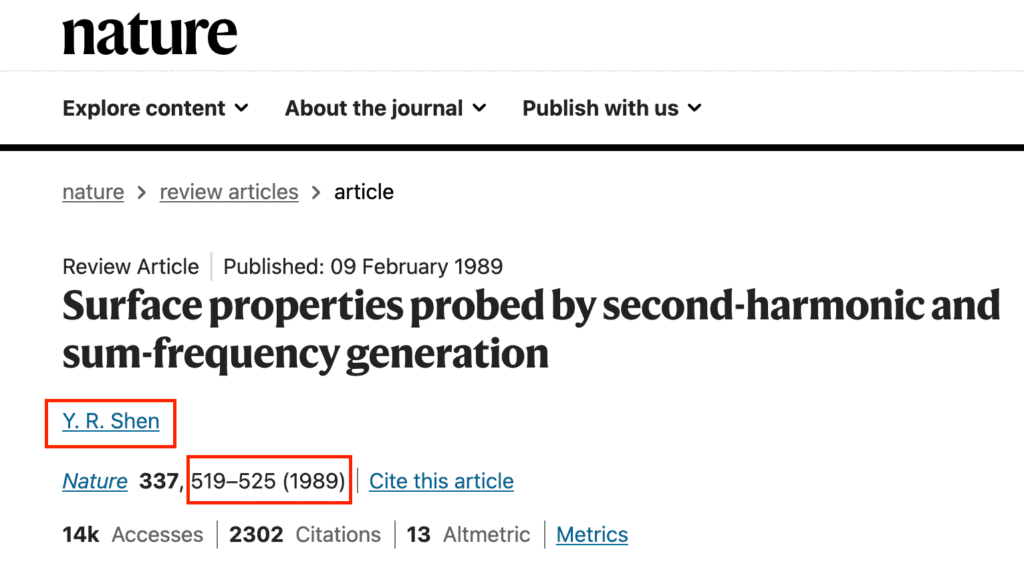
I use the first three letters of the first author’s last name, followed by the first page of the publication. For the paper Surface properties probed by second-harmonic and sum-frequency generation by Y. R. Shen, for example, the file becomes SHE519.pdf, 519 being the first page of the research paper.
But doing this over and over manually wasn’t productive. I was on the verge of giving up because renaming each and every file felt like such a chore.
Then I realized that with Zotero, I don’t have to do this manually for each paper I download. I use a plugin called Better BibTeX to do this automatically. It renames files and puts them in the folder I specify every time I add a new paper.
The way it works: first, set a “citation key” in Zotero settings → Better BibTeX → Citation Keys. To generate the key I use, all I have to type is this one line: auth(3).upper+firstpage.
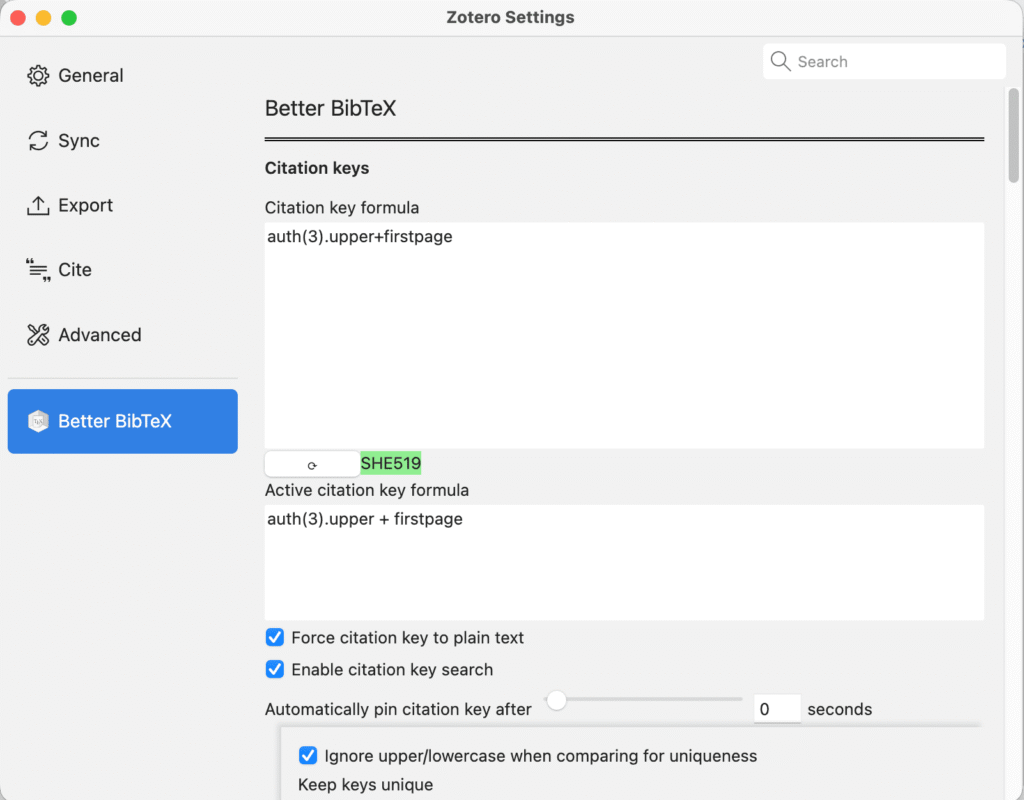
After I set this up, when I add something to the library, Zotero automatically sets the citation key and renames the .pdf file (when available).
More information about setting up citation keys is available on the Better BibTeX website.
Keywords
Keywords are the most important part of sorting.
It’s easy to forget to move a paper into a specific folder when you’re overwhelmed. But tagging a paper takes seconds.
A better keyword system makes organizing research papers much easier, especially with a reference manager. My reference manager lets me view all the keywords I’ve assigned in the main window, which makes life much easier.
Annotations and notes
When I decide to read the whole paper, I write a brief summary so I can quickly grasp what was in it when I revisit it in the future. This works because most of the things we read get forgotten after a certain period of time. When that happens, the paper has to be read all over again, which is the ultimate waste of time.
Writing a summary helps you remember the basic idea of the research paper. Linking to other similar papers makes the knowledge you gained more useful.
After reading a paper, I ask two questions:
- Why is this source helpful for what I’m writing?
- How does it support the thesis?
Keeping all the relevant information in one place makes it easy to refer to when writing a thesis or any other report.
An app like Obsidian helps link your thinking when all the files live on a computer.
My toolbox to organize research papers
Stick with the free stuff
I’ve tried many apps over the years. Here’s what I learned.
The simplest solution is usually the best solution (Occam’s razor principle). Also, the free solution is often the best because it has the best communities to help out, and it’s more customizable.
Also, open-source software tends to get better support than proprietary apps. It’s better to have millions of enthusiasts working for free than ten paid support staff.
I used EndNote for five years. It worked fine, but other software improved faster. Now I use Zotero, which I like for its web integration.
Obsidian, my note-taking app of choice, is also free software. I own my files, and there’s a thriving community.
There are a lot of similarities between these tools as they adopt each other’s features. Most of the time, it’s just a matter of preference.
Zotero
For this kind of work, to organize research papers, a reference manager comes in really handy.
They have two important features: the ability to get citation data into the app and the ability to use that citation data in writing. It should also work on Windows just as well as macOS or Linux, be free, and allow managing PDFs of papers or scanned book chapters.
Zotero, in my opinion, gives all of this and more.
Zotero is one of the best free reference managers for collecting citation data. It includes a browser plugin that saves citation information from Google Scholar, journal pages, YouTube, Amazon, and many other websites (including news articles). It can also download a PDF of the associated source when available, which is very convenient.
One of the things I really like about Zotero is that it has so many third-party plugins that there’s almost complete control over how you use it.
With newer versions, reading and annotating PDFs is built in, which is perfect.
My research paper organizing workflow in Zotero:
- Get references and PDF papers into Zotero: I use Zotero’s web plugin to import PDFs directly.
- Filing and sorting: I save files from the web plugin into the file system I’ve already created in Zotero and assign tags as I do so.
- File renaming: When I save the file, Zotero automatically renames it and stores the PDF where I specified.
- Extracting annotations and taking notes: I use Zotero’s built-in PDF reader to take notes and annotate, then I extract them and link them in Obsidian (next section).
Obsidian
When we’re reading a lot of papers, it’s really important to organize the notes we take from them. For this, I use Obsidian to manage practically everything related to my graduate studies, including notes, projects, and tasks.
Using a plugin called mdnotes, Obsidian syncs up with my reference manager of choice, Zotero. It automatically adds new papers to my Obsidian database whenever I add them to Zotero.
Obsidian has a bit of a steep learning curve for those unfamiliar with bi-directional linking, but investing some time in a note-taking system that works well—especially in the long run—is totally worth it.
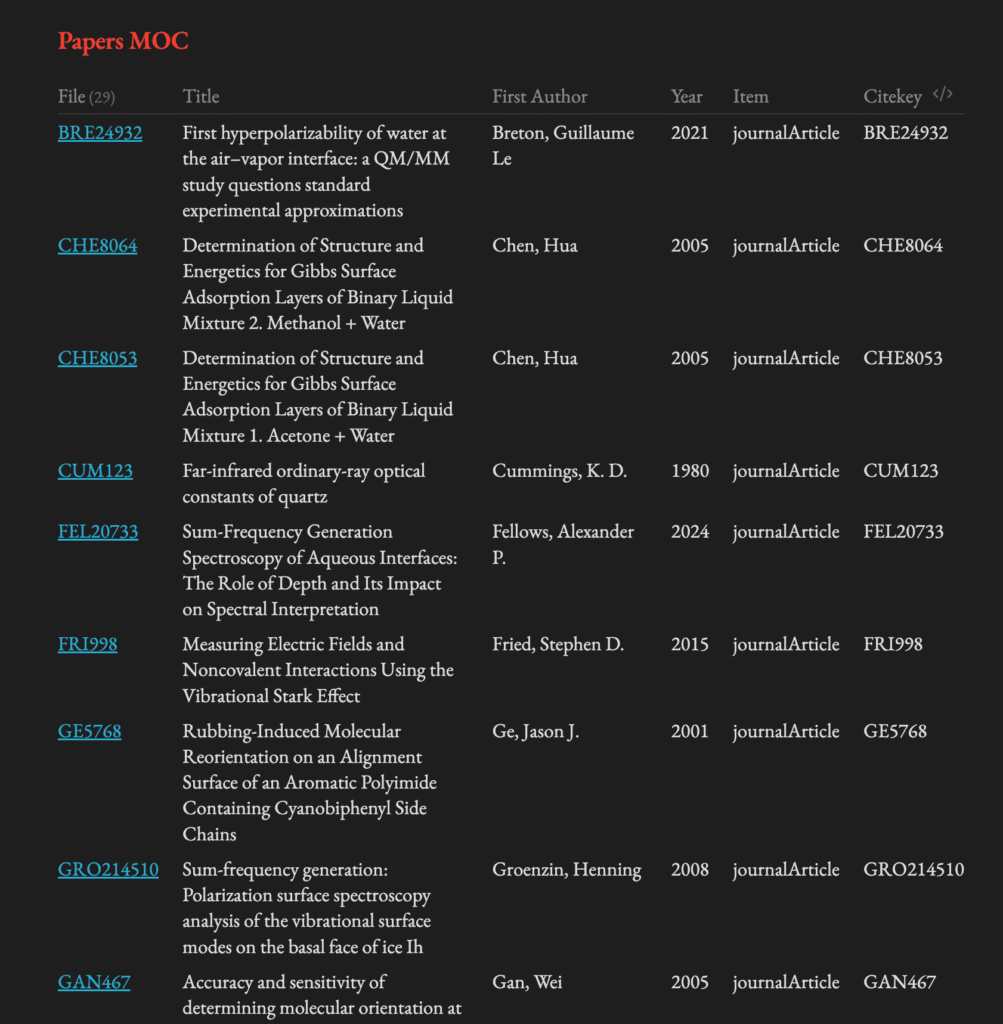
A spreadsheet also works. A table with all the papers you’ve read (whatever tool you choose) can include the paper’s status (whether it’s been read) and any relevant projects. This is what mine looks like.
I keep all my notes on an associated page for each paper. In a spreadsheet, notes can be written directly in the row or linked to a Google Doc for each row. Zotero, for example, allows attaching notes directly to reference files.
Conclusion
While it might seem like a lot of work, keeping a database of papers I’ve read helps with literature reviews, funding applications, and more. I can filter by keywords or relevant projects, so I don’t have to re-read anything.
Learning how to organize research papers has made my life much easier. It takes me much less time to read now, and I use what I learn to improve my experiments. I leaned on this system heavily when putting together my PhD fellowship application and my candidacy exam, and then again to write my dissertation. It made things easier at every step.
That said, there’s no “right” way to organize research papers. I’m curious to know how you manage yours. Let me know in the comments.
