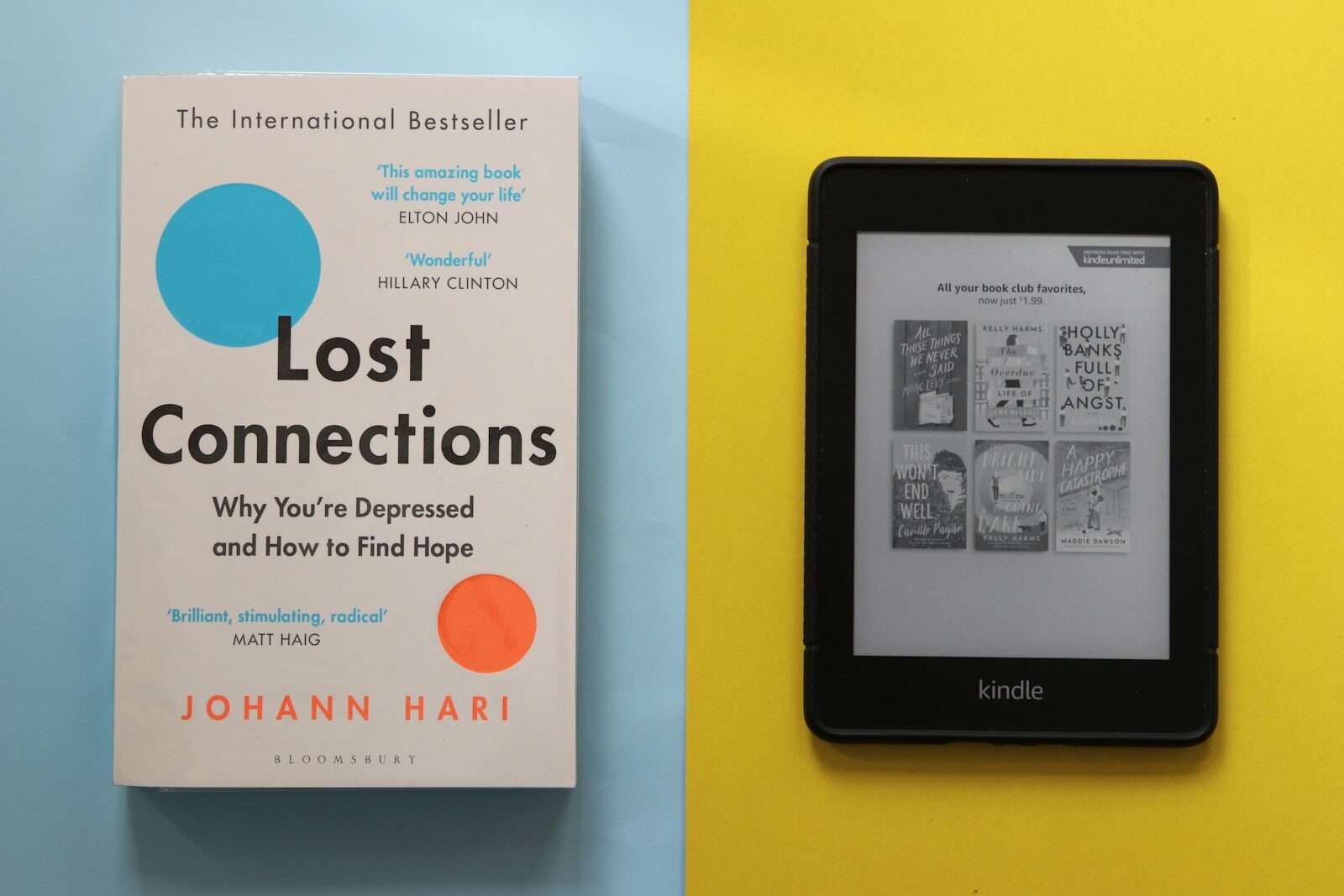
TL;DR
If you’re stuck at the whole Kindle vs physical books debate, my shift to the Kindle ecosystem came down to: access + usability. Switching to Kindle removed the friction that limited how much I could read, how well I could learn from what I read, and how quickly I could turn my highlights and notes into usable ideas, reviews, and evergreen notes.
Reading, at its core, should be an immersive experience. Everything else comes after that.
If you’re someone who likes to read, we probably share the same reason for doing it: that feeling. The one that pulls you in and holds you deep enough that the rest of the world go entirely silent.
But the more I read, the more convinced I am that this feeling doesn’t belong to any particular format. The book itself, physical or digital, doesn’t create it. The reading does.
That said, I grew up with physical books. There’s nothing quite like holding one, especially when you open it and find your old notes and highlights, and the little traces of the relationship you had with it in the past.
But as I’ve gotten older, that feeling alone wasn’t enough. I want to learn from books now, and build on them, carry something forward from them. I’m reaching for more than the experience itself.
This shift in mentality changed how I approach reading today. So I started working on my setup, and over time it settled into something where ebooks do most of the heavy lifting.
This is that ecosystem. Not something I designed all at once, but something that grew on its own, slowly, until it became the way I read today.
Key Takeaways:
- If you’re stuck in the Kindle vs physical books debate, my decision came down to one metric: friction. Less friction means more reading, better reading, and faster post-reading processing.
- Switching from physical books to Kindle didn’t reduce the joy of reading for me, but rather it protected it by removing the things that made reading feel like work (weight, lighting, setup, and stationary note-taking).
- The real win isn’t just reading more, it’s reading well: highlighting, note taking, and exporting them quickly so the best thinking happens after the last page.
- A multi-device Kindle setup works because of Kindle sync across devices (Whispersync): I can read anywhere (Kindle basic/phone/iPad/laptop) without losing the last page read or my notes.
- For nonfiction, the biggest leverage is learning workflow: how to export Kindle highlights, structure them with my highlighting color system, and turn them into notes and reviews. This is why Kindle is worth it for me.
- The “you don’t own Kindle books” criticism is still there, but for my use case (read → extract → write), the value is in what I keep: my notes, highlights, and output, not in the books, so it doesn’t bother me much.
Table of Contents
Why Physical Books Became a Problem for Me
Reading more
Reading more books, in itself, shouldn’t be the goal. That goes without saying.
However, for me, the problem was that I really wanted to enjoy more books, and reading only physical books was holding me back. So there was always this friction between wanting to enjoy more books and the number of books I could actually read.
What I realized, while battling with that friction, is that there comes a point where the number of books you want to read can no longer be read if you only read physical books.
For example, the book War and Peace is nearly 1,200 pages long. For most of us, we don’t have the opportunity to read every day at home, at least not the entire day. So, there were so many constraints: the time I could sit with a book that size, the setting, a proper table, enough light. I still read it because I really liked it, but it took me three months to finish.
Had I read it on my Kindle, on the other hand, I could have read from anywhere: while commuting, at a lunch break, while waiting for a bus, in between meetings. I would have finished it way earlier.
And that’s what makes the difference. Reading three times as many books in a year becomes possible. If I want to read 50 books a year, I can do that with a Kindle. If I only read physical books and tried to hit that same number, I’d cap out at around 20, even if I tried my best.
Reading well
Now comes the more important part: how to get the most out of reading.
There are two stages where this can be applied: while reading, and after reading.
While reading
The best way to get the most out of a book while reading it is to treat the experience as a conversation with the author. This applies more heavily to non-fiction than fiction, because there’s nothing wrong with completely surrendering yourself to a good fiction book.
But to actually learn something from a non-fiction book, it’s pretty important to stay engaged with it, to question it, push back on it, and think about how it connects to what you already know.
So how do you have that conversation? That becomes the immediate next question.
Among so many ways to do this, what I chose is note-taking and highlighting, with highlighting being the primary tool. Highlighting and taking notes in a physical book is obviously satisfying. We all love that tactile experience. But when it comes to the practicality of it, I started to see some real problems.
For one, to highlight and take notes, I need to sit down somewhere if I’m reading a physical book. That makes me stationary. And that means I get to read less in a given day, with the condition that I want to read well.
On top of that, physical note-taking constantly needs things: highlighters, sticky notes, bookmarks, pens. Even if I’m happy to overlook the cost of all that, and sometimes the waiting time to get them, I still have to carry everything with me if I want to read on the go, which is barely practical.
After reading
After I finish a book, whether fiction or non-fiction, I want to move all my highlights and notes into one place. This is the step where I get the complete picture, the core themes and ideas of the book, that I can actually apply to my own life in a useful way.
Now, this extracting process, had I done all the highlighting and note-taking in a physical book, is a real challenge, to say the least.
Yes, I’d still do it, because I don’t think spending time on this is a waste. It helps me understand the book better. But for someone trying to read at least one book a week, doing this every week isn’t sustainable.
Here’s why. The time I spend transferring highlights and notes is much lower in quality than the time I’d spend actually writing my review. It’s lower density learning. So at some point, I realized I was trading the most valuable part of the process for the most mechanical one.
In other words, I needed to get my highlights and notes into one place as quickly as possible, so I could spend more time thinking about the book as a whole, where I actually get the most out of it.
For example, I took around 150 highlights for The 48 Laws of Power (Most of which you can see in this review). Transferring all those took me about three days, around eight hours total. But I realized I understood the book much better, probably twice as well, after looking at all the highlights and notes together, not while transferring them.
So those eight hours, for me, were pretty much a waste. Doing that every week… I knew it wasn’t going to work. So I was desperately trying to find a better way.
Joy of reading
There are two types of joy attached to the act of reading.
The first, which I think is still important, comes before you even open the book. It’s just the idea of reading. Being surrounded by books, building a collection, living inside that world. I call this persona “A Lover of Books.”
The second is the joy that comes after reading. It comes from blending in with the characters of a novel, living through someone else’s life, seeing the world differently after the last page. I call this persona “A Lover of Stories.”
If you’re an avid reader, chances are that you’re a combination of both, with the balance between them shifting from person to person. Because the joy of reading, in my opinion, is shaped by not one but both of these personas.
There is, however, a subtle tension that challenges the balance between them, and that is the practicality of reading.
Over the years, what I did was give more and more weight to that practicality, letting it shape the balance between the two personas. And as a result, the balance has settled closer to the second, the Lover of Stories.
Year after year, pushing myself toward that, I’ve realized something my younger self wouldn’t even dare to admit: that a physical book can actually get in the way of the joy of reading.
Because more often than not, a book is heavier than an e-reader, harder to carry around, and you need a light to read at night, and it starts to feel like work.
At the end of the day, a book is just one way to carry a story. A story can live anywhere: on your phone, your laptop, or a tiny device that weighs only 158 grams! So why not read that story from somewhere that fits your life more naturally, and gets out of the way of the reading itself?
Elon Musk says in a video that he finds reading books on his iPhone natural, because it’s always with him.
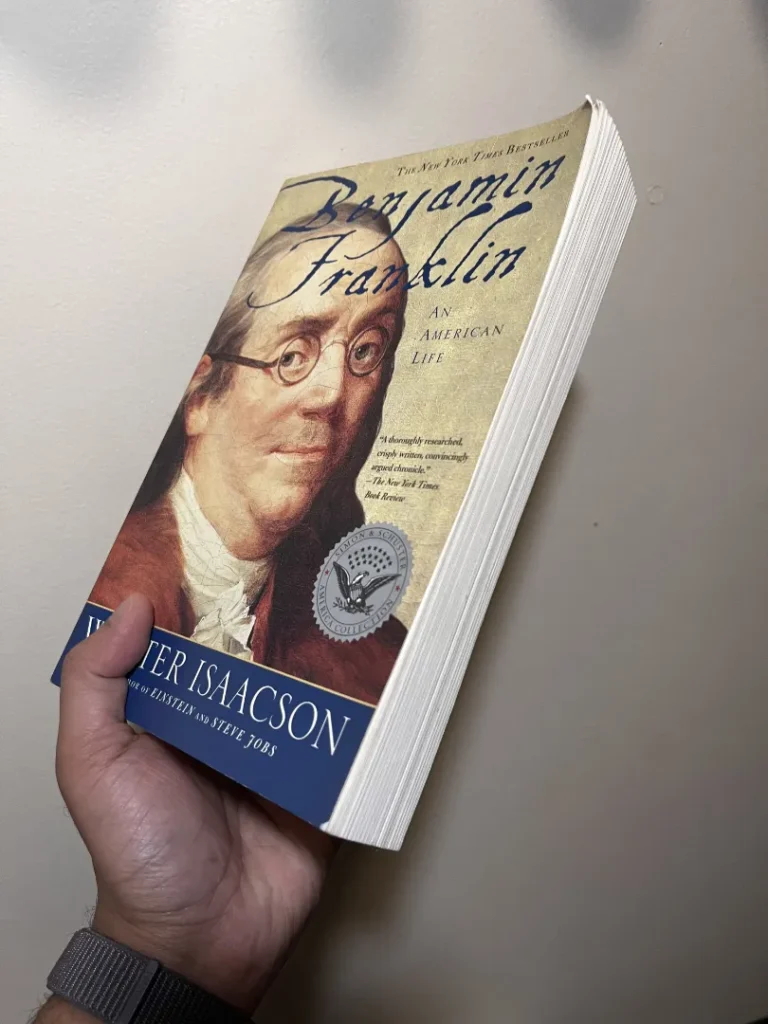
He talks specifically about the autobiography of Benjamin Franklin. I own a physical copy of that book, and I totally see his point. It’s enormous, and harder to handle. Reading it on a phone, even a 3.5-inch screen, just makes more sense, specially for someone who moves around a lot.
That’s the Lover of Stories in action, combined with practicality. The joy of reading, without being attached to the object itself.
A Kindle doesn’t reduce that joy, but rather focuses it. It strips away everything that gets between you and the book, and what’s left is the reading: cleaner, easier, and available wherever you are.
So reading on a kindle isn’t a compromise, just a better path to the same place.
How a Kindle Solved These Problems
How did Kindle help me read more
One of the best features of a digital reading ecosystem, whether that’s Kindle or any other platform, is that it lets you read from anywhere: from the e-reader itself, from your phone, in the browser, or even on your laptop, which is, by the way, is completely free.
To me, this was a game changer.
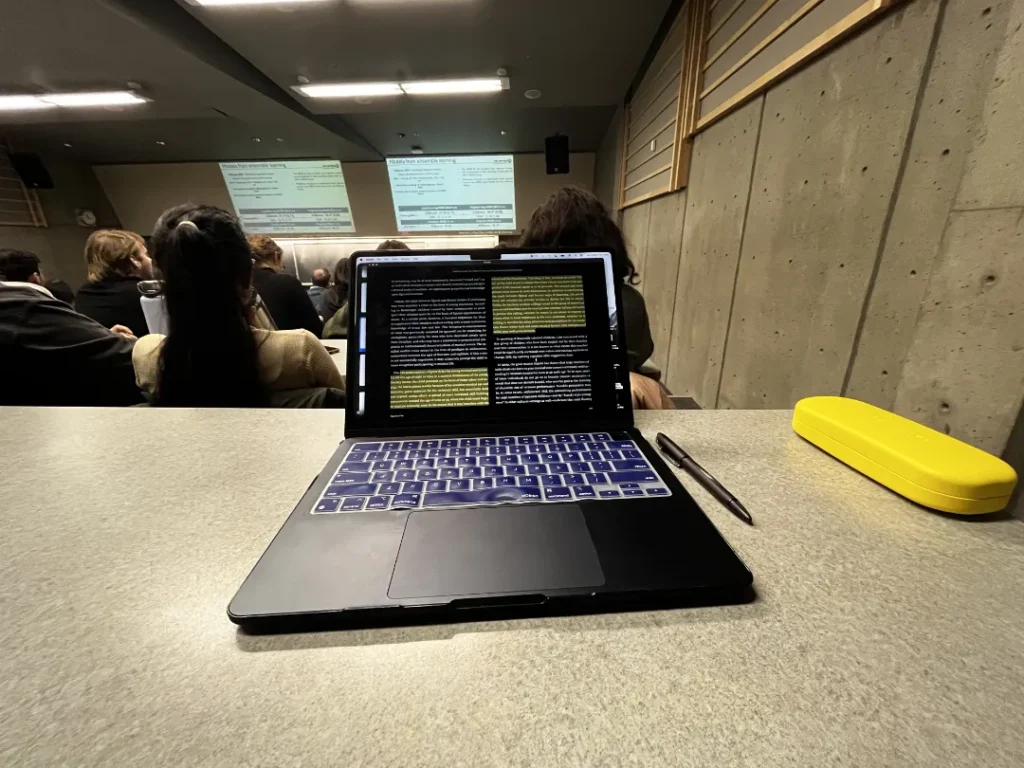
If I forgot to bring my Kindle to an event, I can just pull up my phone and keep reading. If I’m at an event and not getting much out of it, I can open my laptop and read instead. That last one is made possible by the Kindle Cloud Reader: a free browser-based app that syncs your entire Kindle library, so you can read from any computer without downloading anything.
All of this is held together by Kindle sync across devices, specifically Kindle Whispersync, which is the glue of the whole multi-device reading system. It syncs your reading position, highlights, and notes across every device automatically, so no matter where you left off, every device knows exactly where you are.
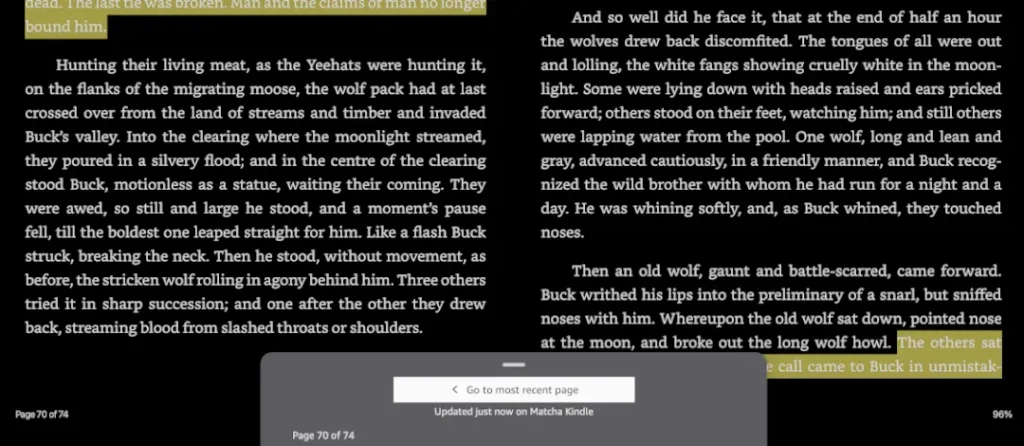
There’s no time or place where I don’t have access to the books I’m reading.
This, in practice, lets me read at least four to five times more than I would have had I only read physical books. I can go well past my lower limit of four books a month without even trying.
I won’t claim Kindle is a magic trick, but it removed enough friction that reading became the default option in many situations: in bed, on short breaks, while traveling, and during those “I have 5 minutes” windows.
I also like to read three books at a time: a fiction, a narrative non-fiction, and a more demanding non-fiction. Kindle lets me just pick whichever one matches the mood and pull it up instantly. That would have been a real hassle with physical books, since carrying three or more around is just not realistic.
Reading from a Kindle also solves a lot of accessibility issues that, in return, helped me read a lot more. I don’t have to sit at a table anymore, like I did before, especially when reading non-fiction with highlighters, sticky notes, and pens. There’s no need for extra light either, since every Kindle comes with a built-in one. Now I can just sink into a sofa or read in bed comfortably, while still taking highlights and occasional notes.
And because it’s so much easier to read, I reach for a book more often, which means I end up reading a lot more.
How did Kindle help me to read well?
Now that I could close the gap I’d been spiralling about—between wanting to read more books and my capacity to actually meet that demand—by shifting to the Kindle ecosystem, the immediate next question was: how do I set this up so I can read well?
Because before, when I was only reading physical books, I was taking highlights and notes, trying to get the best out of my reading, even though I had real problems with the post-reading transfer process.
So how could I bring that same practice into the Kindle ecosystem? That became the next thing to figure out.
Here’s how I solved that problem.
Highlighting and note taking
I wanted to highlight, color-code when needed, and take notes, especially for non-fiction.
The first thing that changes with Kindle, compared to a physical setup, is that it only needs your fingers: no reaching for a highlighter, no sticky notes, no pen. The whole process becomes so much more fluid that it actually encourages you to capture the things you really wanted to capture; the ones you’d skip over when the friction of a physical system made it feel like too much effort. That, in return, helped me read a lot more carefully.
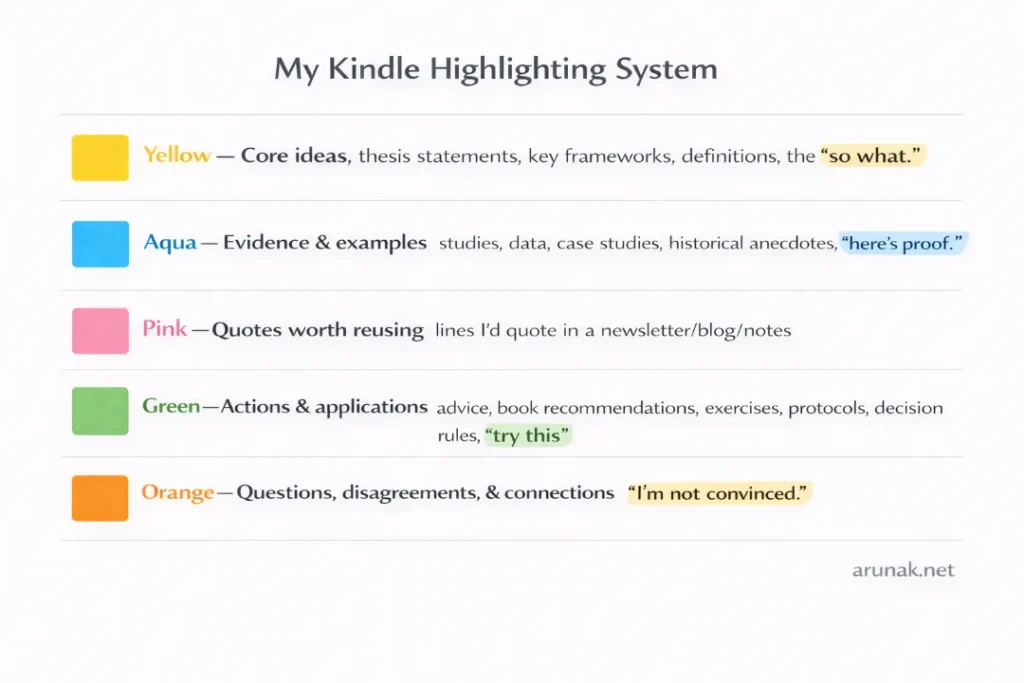
Kindle has a five-color highlight system. When I started taking highlighting seriously with physical books, I’d assign whatever colors I had on hand. But over time, that gets confusing, even misleading, especially across dozens of books. Now, with Kindle, I have a consistent color-coding system across every book I read, one I don’t have to rebuild or second-guess.
My color coding system is:
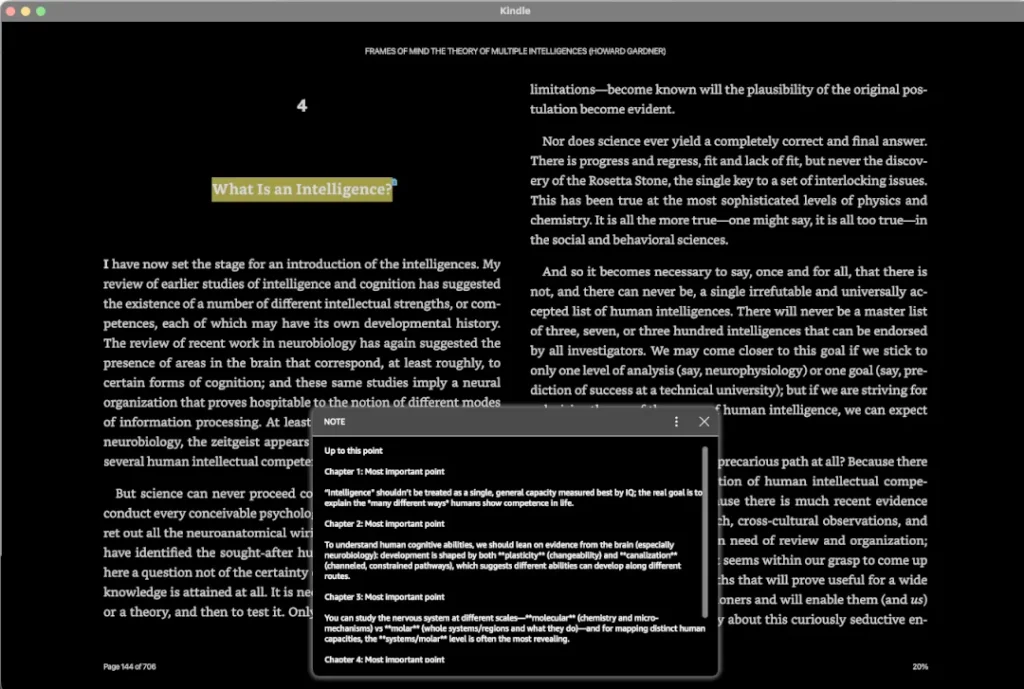
Note taking is also a lot smoother on Kindle. You type directly on the page, and the note stays attached to the exact passage it belongs to.
Searching capabilities
Some features don’t even register as advantages until you realize they were never an option before.
Searching on a Kindle is one of those. Sometimes I remember something I read—a sentence, a paragraph, a specific word or idea—but not where in the book it was. With a physical book over 400 pages, finding it again is a real ordeal. On a Kindle, on the other hand, I just search the word and it takes me straight there. The idea of doing this with a physical book was basically non-existent. Now it’s just a tap.
Dictionary lookup
The dictionary is also one of those features I didn’t think I’d use much but ended up relying on constantly.
There are two things I like about how Kindle handles it. One, it takes a fraction of a second. Just long-press on a word, and the definition appears right there. It doesn’t break the flow of reading at all.
Two, every word I look up gets saved automatically to something called Vocabulary Builder: a built-in feature that quietly collects all the words you’ve looked up across every book. To access it, tap the three-dot menu while reading and select Vocabulary Builder. From there, you can browse every word you’ve looked up, see the original sentence it came from, and practice them as flashcards. You can even filter by book, so if you want to revisit the words you looked up in a specific title, it’s all right there.
Transferring information (how to export Kindle highlights)
The biggest problem I had with my all-analog setup was the time it took to transfer everything, copying highlights and notes into a notebook, or some other place, so I could look at the book as a whole, think about its main themes and ideas, and actually understand it better. For non-fiction, that step was the most important part of the whole reading process.
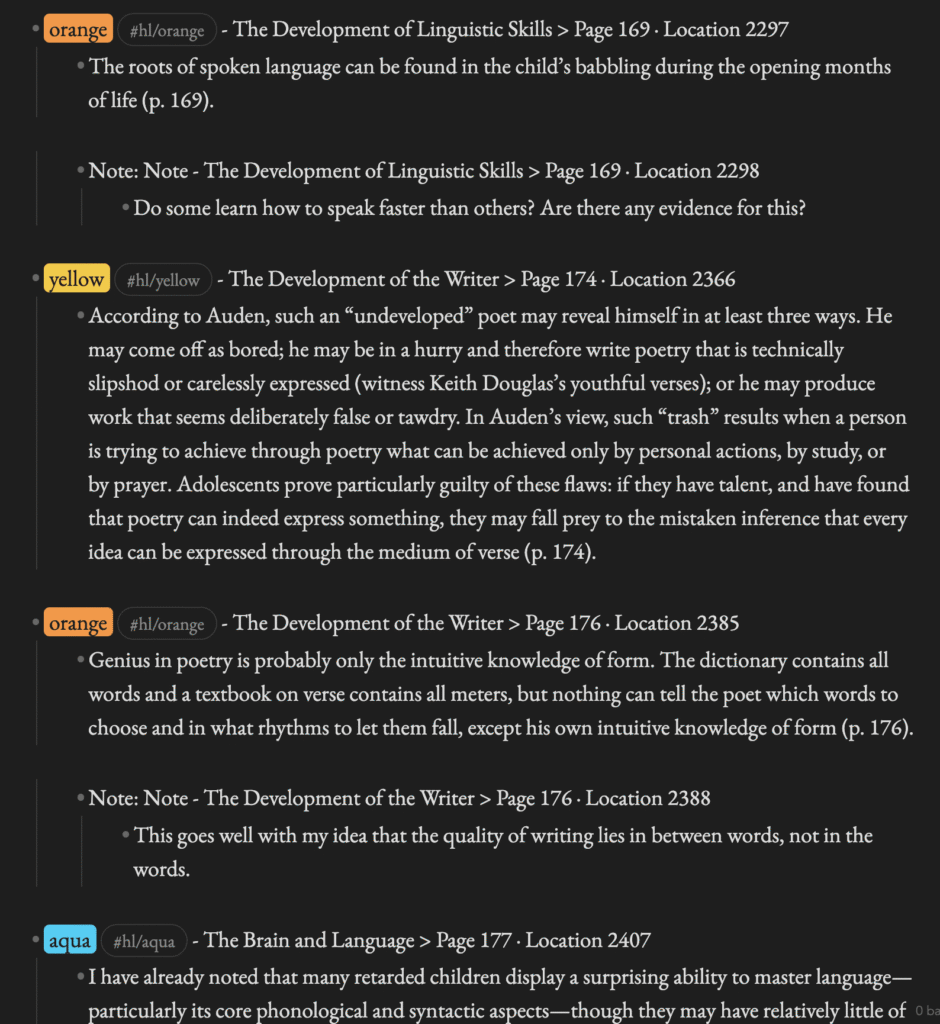
But now, instead of hunting down every highlight and note and copying them one by one, I can export everything in a matter of minutes, and in a format that fits directly into my post-reading workflow.
What I do now is:
- After finishing a book, I export all my highlights and notes as an email. If I want my highlight colors preserved, I do this from the Kindle desktop app, because the basic Kindle device exports without color.
- On the desktop app, I open the book, click “Show Notebook” in the top right, and then hit “Export”. It saves everything as an .html file.
- Then I run that file through a simple python script that restructures the highlights exactly the way I want them, so I can bring them into Obsidian and start thinking about the book as a whole.
What I find amazing is that this works for any book, whether it was purchased from Amazon or purchased elsewhere and added to my Kindle library. And it’s all completely free.
What I care less about in Kindle
“Paper-like” features: I read mostly at night, with the backlight on. So at the end of the day, this is just another screen to me. I think it would feel less screen-like if I read in daylight, but that’s not something I have the luxury of doing regularly.
Multiple theme options, line spacing, and font choices: Kindle has fewer customization options here compared to some other e-readers. But it’s never once gotten in the way or added any mental fatigue to my reading.
Word Wise: Word Wise is a feature that displays short definitions floating just above difficult words as you read, so you never have to tap anything to get the meaning. But I never really use it; it can be distracting, and I’d rather just long-press on a word when I need it. That said, Word Wise is genuinely useful when reading books with a lot of unfamiliar vocabulary, dense academic language, or when learning a new language through reading.
How did Kindle help me to regain the joy of reading
To the point I made earlier, a Kindle, being lightweight and having so many features that make the reading experience better than a physical copy, also helped me get that joy of reading back.
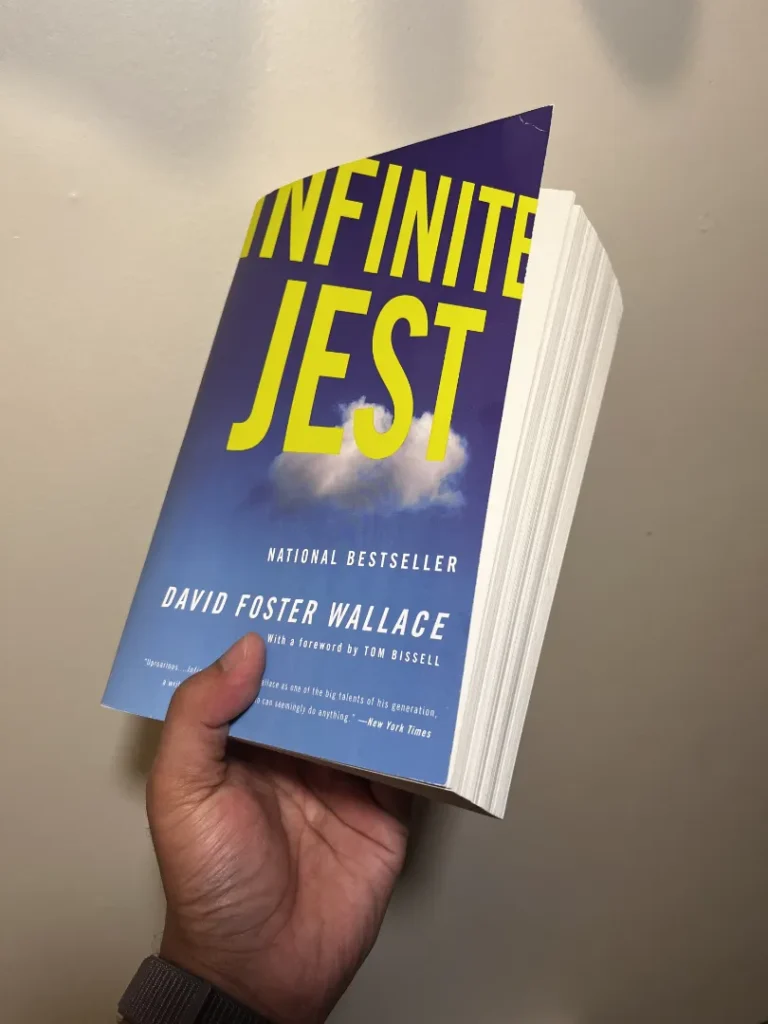
Take weight alone. Infinite Jest by David Foster Wallace, for example, is 1,078 pages. Do I want to carry that around everywhere, awkward to hold, hard on the wrists, impossible to read one-handed? Of course not. On a Kindle, it weighs the same as every other book, precisely 158 grams.
Also, And even though this isn’t something I was really looking for when I made the switch, I never have to worry about bad printing or tiny fonts making reading uncomfortable. On a Kindle, the display is crisp and consistent no matter the book, and you can adjust the size to whatever works for you.
Moving to a digital reading ecosystem also let me focus more on the reading itself, and less on the cost.
I’ve been reading around 50 books a year for the past six years. The average paperback runs about $17. The average Kindle book runs closer to $10. Over 50 books, that’s a difference of around $350 a year. Over six years, that’s more than $2,000.
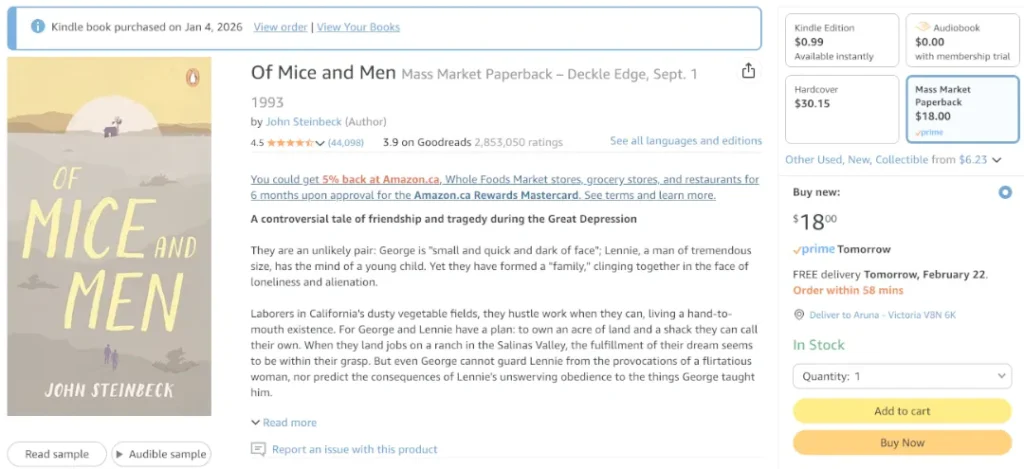
For example, I recently bought something I’d always wanted to read: Of Mice and Men by John Steinbeck. The Kindle edition was $0.99 CAD. The paperback was $18. That kind of difference, across a full year of reading, adds up really quickly.
All these things—the weight, the display, the cost—ultimately come back to the same thing: the joy of reading. When there’s less in the way, there’s more room for it.
What do I miss about physical books?
Some pleasures we get out of life can’t be rationally justified.
Reading a physical book falls squarely into this category. Even though I’ve completely shifted to an ebook ecosystem, the tactile pleasure of a physical book is something I still crave for. The Kindle didn’t replace that feeling, it just replaced the way I read.
But even beyond this feeling, here are some of the things I genuinely miss.
The sense of completion
One of the hardest things to get used to when I made the shift was the feeling of completion. When I’m reading a physical book, I can see where I am, how much I’ve read, how much is left, just by the weight of the pages in each hand.
On a Kindle, that’s not quite the same. But objectively, it’s not really different either; the progress percentage sitting in the bottom corner tells you exactly the same thing. It’s more of a psychological adjustment than a real loss. The way I got around it was just keeping that progress display on, and after a while it stopped bothering me.
Going back and forth
Logically, going back and forth, which becomes something you do a lot with non-fiction, should be easier on a Kindle than with a physical book. But it isn’t always, especially with longer books over 500 pages.
With a physical book, I’d stick a colored sticky note on the top edge of a page I wanted to track, and if there were several, I’d use different colors. I can do something similar on a Kindle, but just grabbing that sticky note and flipping straight to the page is faster.
And more satisfying in a way that’s hard to explain.
The emotional weight of a well-worn copy
This is, by far, the biggest thing I gave up going from physical to digital.
A well-worn copy, revisited many times, eventually becomes something personal, something of a part of my own history. The creased spine, the marks, the wear are all part of this history. A digital copy can never have that. There’s no equivalent.
But I’m happy to accept that trade. The advantages a digital ecosystem gives me in terms of my reading goals: the volume, the accessibility, the workflow. And it outweigh what I lose in that emotional weight.
When do I still choose physical books?
A book format doesn’t translate well to Kindle
Sometimes books are non-linear in a way that isn’t very digital-friendly. A good example is most books by Robert Greene. He likes to include stories and tangential content in the margins, asides that run alongside the main text, that just don’t work as well on a screen. The layout is part of the reading experience.
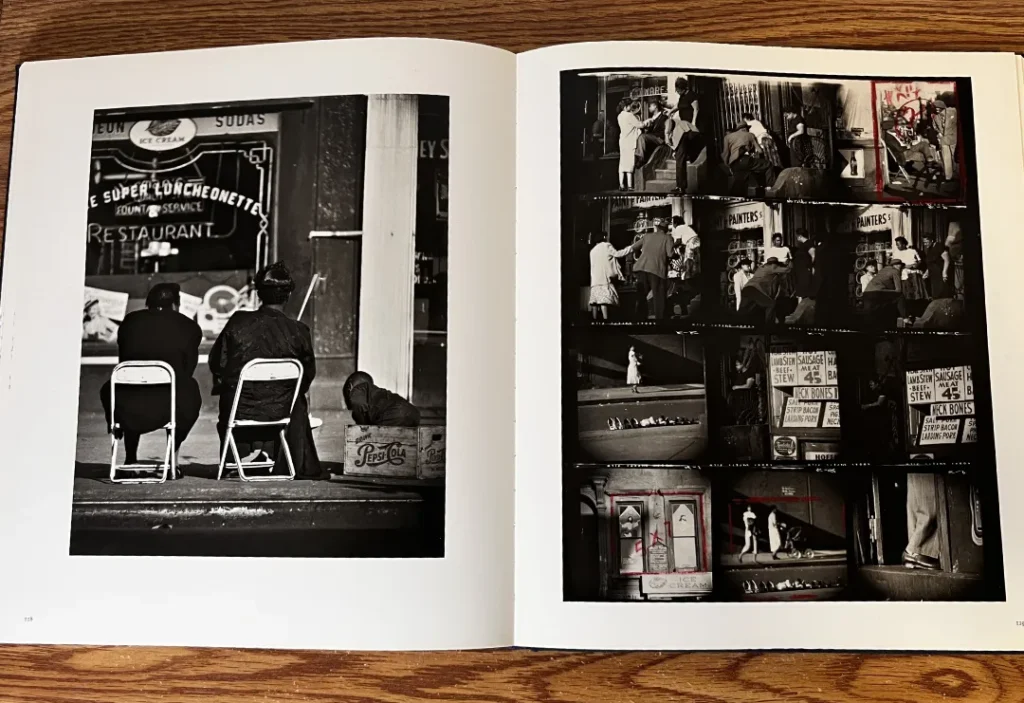
Other cases where I’d buy the physical copy: art books, photography books, and anything where the design itself carries meaning.
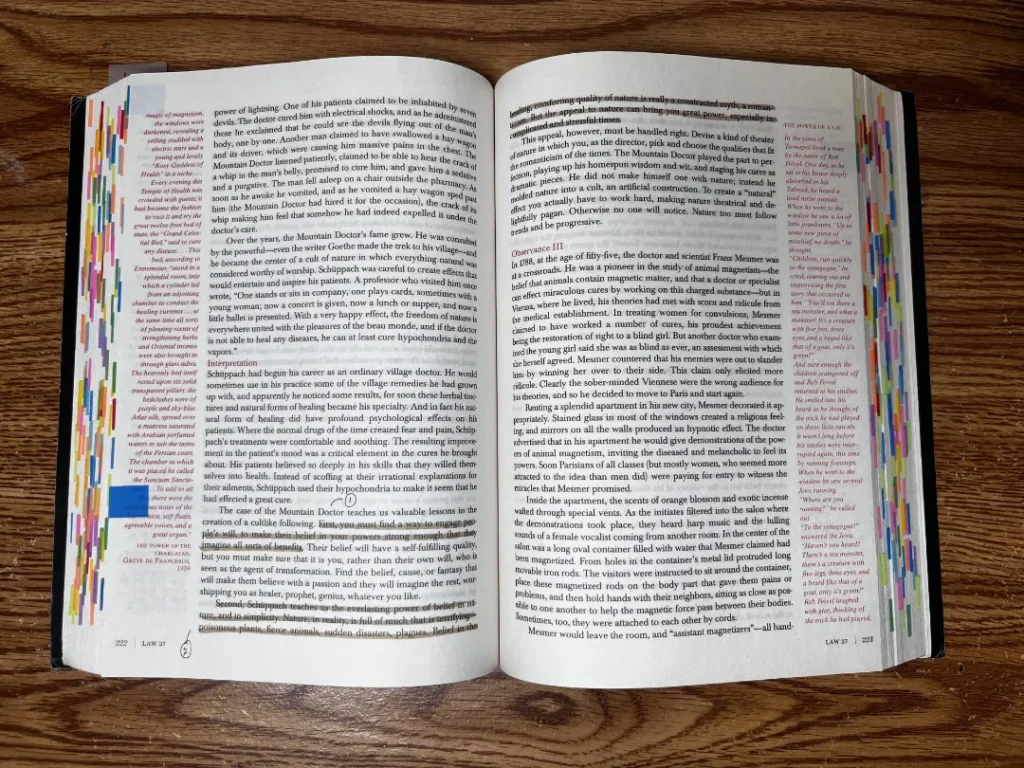
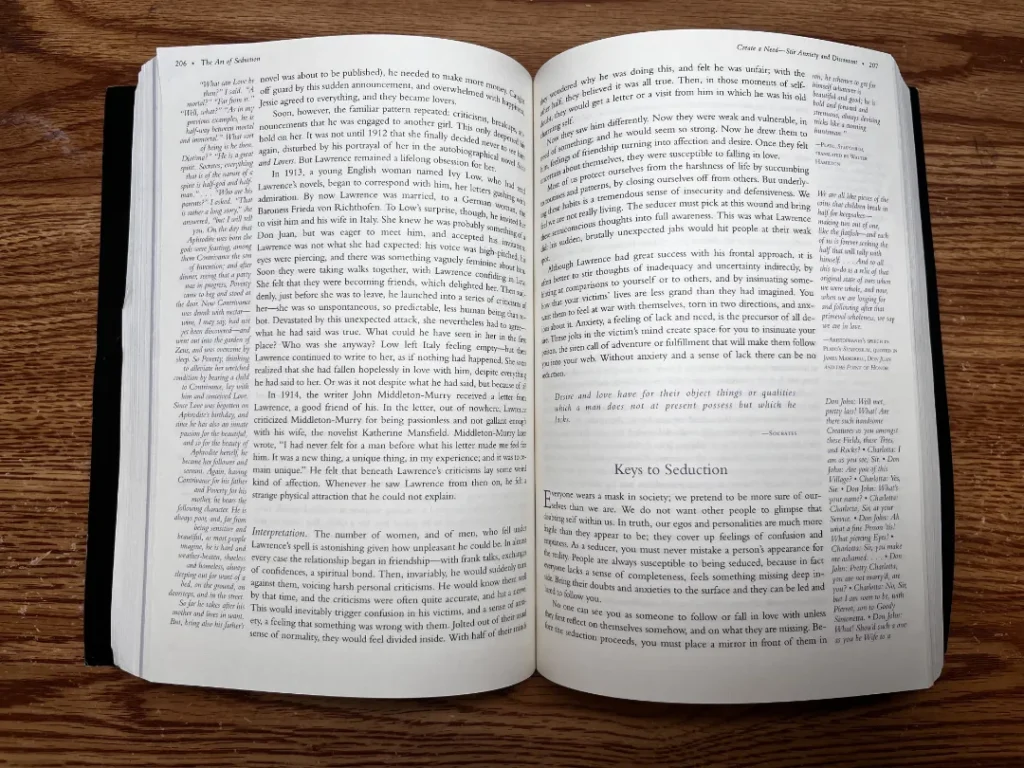
Robert Greene books: 48 Laws of Power and The Art of Seduction.
A book is exceptionally long and complex
This choice has more to do with mentality than anything practical.
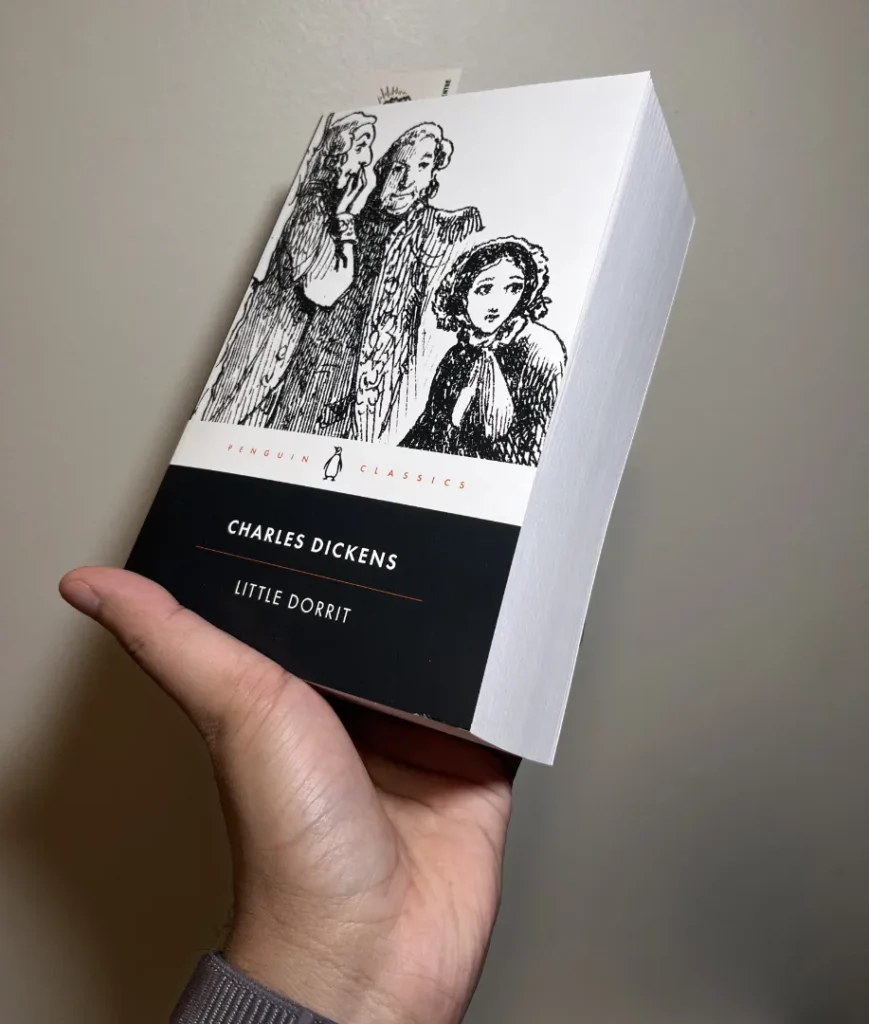
Sometimes, if a book is over 1,000 pages and full of complex characters and multiple storylines, I just want to hold it. Little Dorrit by Charles Dickens is a good example of this. There’s something about the weight and presence of a book like that which feels right for the kind of reading it asks of you.
The physical copy matters to me for personal reasons
This one is more about collecting than reading.
I like to keep a physical copy of a book when it means more than a book to me; books I grew up with, all-time favorites, or gifts. Some examples: A Story About a Real Man by Boris Polevoi, The Call of the Wild by Jack London, The Catcher in the Rye by J.D. Salinger, and War and Peace by Leo Tolstoy.
“You don’t own Kindle books.” Is that a real problem? (Kindle license vs ownership)
This is, by far, the biggest criticism of the Kindle ecosystem: that you’re buying a license, not a physical object. So it’s worth addressing directly.
First, even though it’s obvious at this point, it is true. Kindle content is licensed, not sold, to you by the content provider. Amazon reserves the right to retrieve it at any time. This is why Amazon reserves the right to remove any books from any Kindle for any reason, and this has happened before, with titles like 1984 when a rights issue was at play.
But this hasn’t gotten in my way, at least not enough to push me away from the Kindle ecosystem.
Why it hasn’t gotten in my way
My reading mentality depends more on frictionless consumption than on the ability to lend or resell.
And the worst-case scenario isn’t that bad for me. Say Kindle decided to pull all the books I’ve purchased from their store, which wouldn’t happen, because the company runs on a free market, but let’s say it did. By that point, I’ve already exported my highlights, taken notes, written my review, and gotten every bit of value out of that book. I’ve read it, processed it, and shared my experience with others. The license is gone, but everything I got from it stays with me.
It’s like renting a gym. I’m not paying to own the building. I’m paying for the access to train. If the owner refused me entry after six months and kept my deposit, I’d be upset, but it’s not the end of the world. I’ve already done the work.
What about Kobo? (Kindle vs Kobo license)
I should admit I’ve never actually used a Kobo, but I did my research, especially because at one point, I was seriously thinking about making the switch from Kindle to Kobo.
But I didn’t, for two reasons.
First, Rakuten Kobo doesn’t sell books either. It sells licenses. Their terms of sale state: “The Kobo Service sells licenses to literary works (‘Digital Content’)…” Customers do not own accessed digital content and do not gain rights to copy or transfer it beyond what the license allows.
That said, Kobo sometimes sells DRM-free ebooks depending on the publisher. In those cases, you can download a local file and keep it more easily than with Kindle’s default ecosystem. That doesn’t change the license language, but it does reduce the practical risk of losing access.
So it really comes down to the experience each platform provides, which is my second point.
Kindle versus Kobo is a lot like Apple versus Windows. Kindle is the smoother, tighter “it just works” ecosystem that trades some freedom for convenience. Kobo is more flexible and file-friendly, but you may spend more time tweaking and managing things yourself.
You might want a Kobo if you want more custom fonts, layouts, color screens, or the ability to take notes with a stylus; things Kindle doesn’t offer. But those features, which in my opinion don’t add much to the actual reading experience, come at a cost. In practice, Kindle’s multi-device reading tends to feel more seamless because Whispersync is built around cross-device continuity, while Kobo has had to improve this over time. Its iOS app only recently added automatic syncing of notes and bookmarks as part of a major redesign.
That said, for some people, a stylus or a color screen genuinely changes the experience, and that trade-off is worth it. In that case, Kobo, or any other e-reader, should absolutely be the choice. At the end of the day, all of this is about a better reading experience, not the best product.
Practical ways to reduce the risk
- Buying from the Kindle store for books where convenience matters most
- Buying physical copies for the “forever shelf” books
- Treating Kindle purchases like convenience purchases, not collectibles
- Buying books from elsewhere and adding them to the Kindle app using Send to Kindle: go to send.amazon.com → drag and drop your EPUB or PDF file → select your device → click Send, and the book will appear in your Kindle library within minutes
What is the best Kindle? (my real Kindle ecosystem across devices)
Over the past five years, I’ve been working with five Kindle devices and apps, trying to figure out the best reading workflow. Now I only actively use three of them.
I’ll go through my experience with all five first, and then explain why I settled on three and how I use each one.
The five I’ve used:
- Kindle Basic
- Kindle Paperwhite
- Kindle app on iPad
- Kindle app on my phone
- Kindle app on my laptop
Below is my practical, real-world take, and the things I noticed after about six years of meddling with all of them.
Kindle Basic
What it’s best at
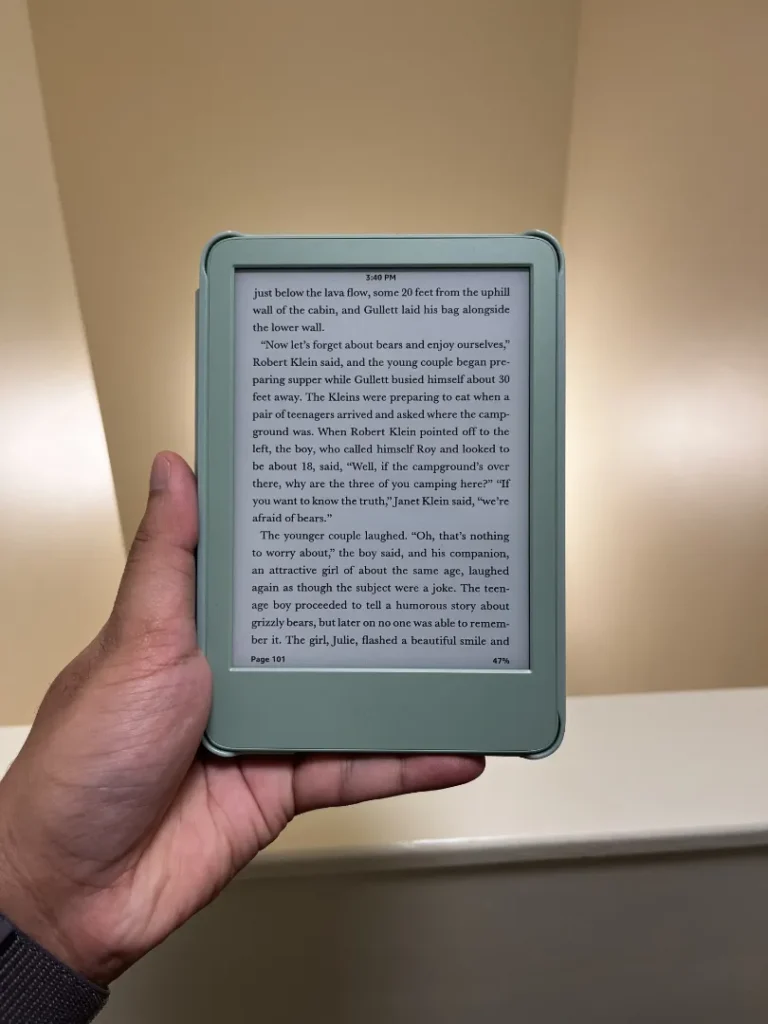
Portability: It’s the one I reach for when I want the smallest, simplest reading device. Size matters more than features if it makes you read more, and this one makes me read more.
The screen: is also the sharpest of the bunch, in a way that surprises most people. Because the Basic’s screen sits slightly recessed in the bezel without a glass layer on top, there’s nothing between you and the e-ink display. The Paperwhite has a flush glass layer that looks cleaner, but that extra layer slightly softens the text. On the Basic, the text is just crisper.
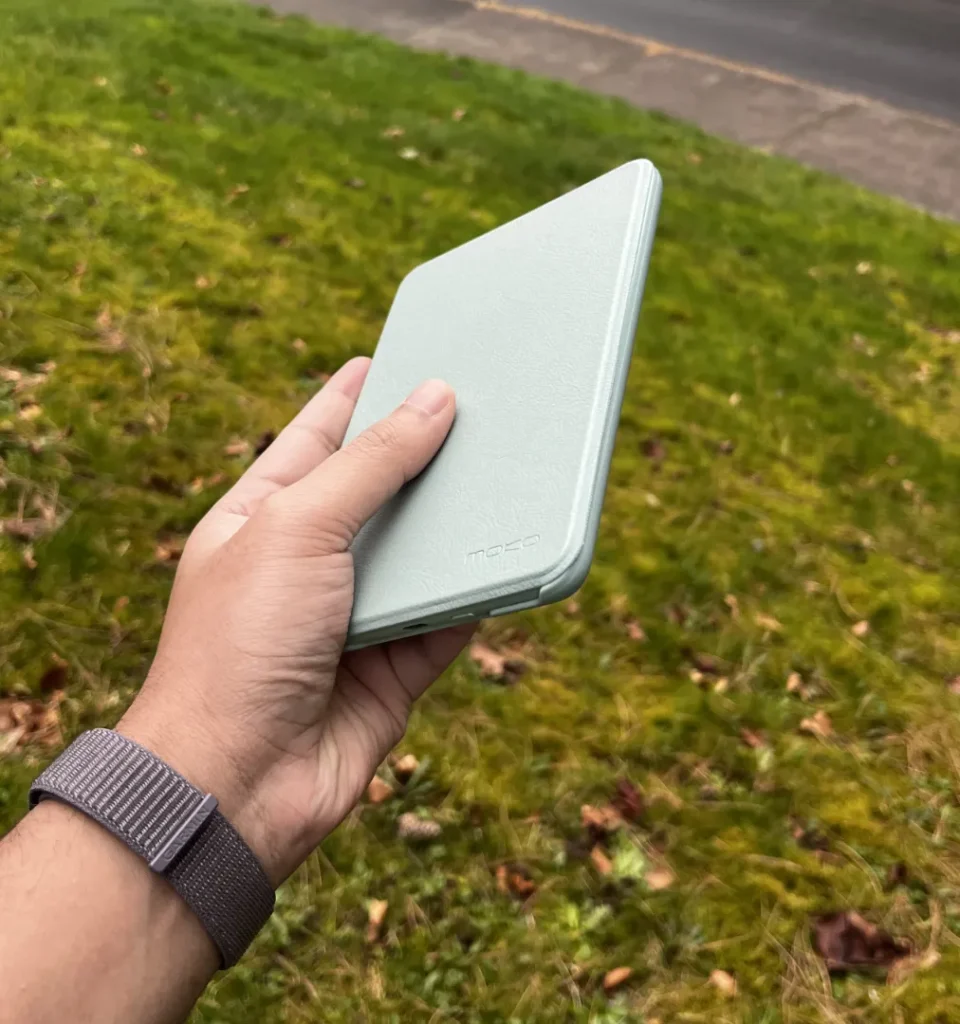
And then there’s the color: There’s something about the Matcha green that makes me pick it up at least ten times more often than I’d pick up a black Kindle.
Where it’s weaker
If you care about a premium lighting experience, the Basic can feel barebones. It has four LEDs compared to the Paperwhite’s seventeen, so the lighting is dimmer and less even. And there’s no warm light option, so night reading stays on the cooler end.
Who I’d recommend it to
People who want the lightest entry point into Kindle reading and value carryability over extra features.
Kindle Paperwhite
What it’s best at
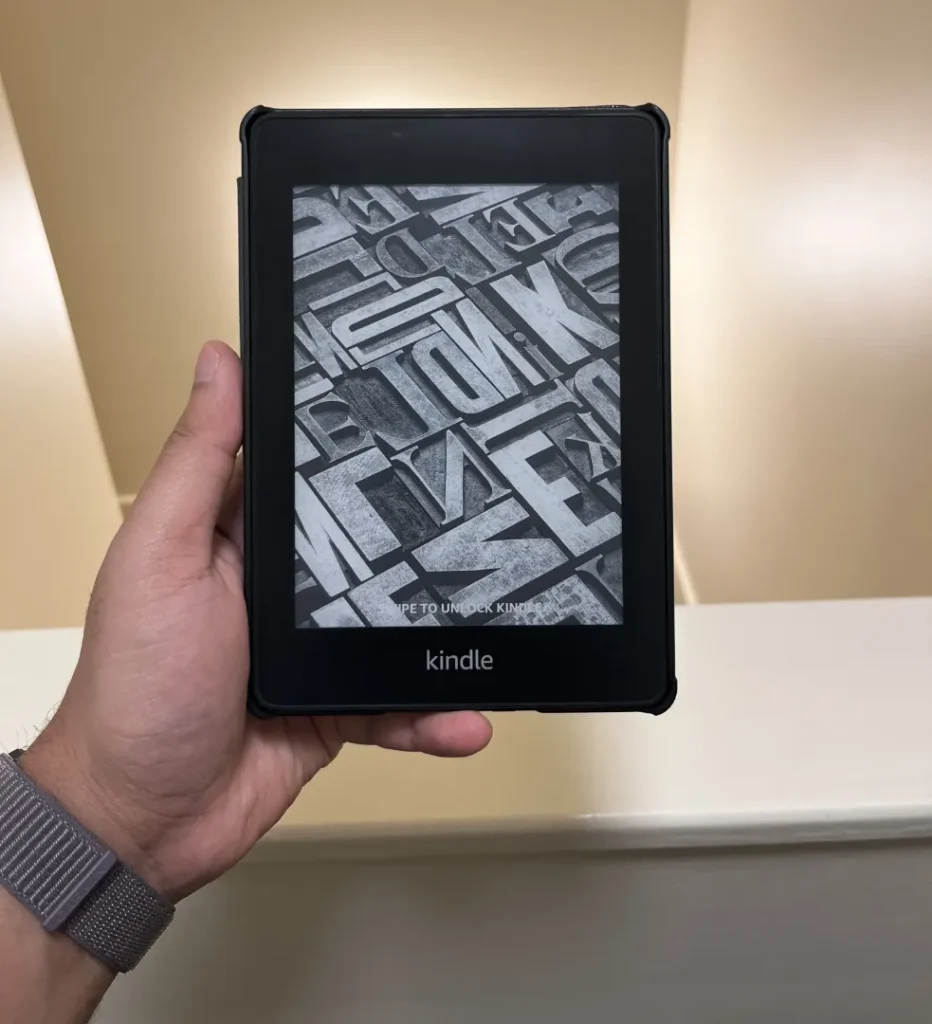
Less squinting and fewer page turns: The Paperwhite has a 6.8-inch screen compared to the Basic’s 6 inches, so you fit more text per page, which means fewer interruptions while reading.
Adjustable warm light: You can shift the backlight from cool white to warm amber, which makes a real difference reading at night. It’s more paper-like, easier on the eyes.
Flush design: The screen sits level with the bezel, which looks and feels more premium.
Where it’s weaker
Less pocketable: This is the main reason I don’t treat it as my “take everywhere” Kindle. The size difference might look small on paper, but when it comes to whether a device fits in a back pocket or not, the Paperwhite says no and the Basic says yes, and that changes everything.
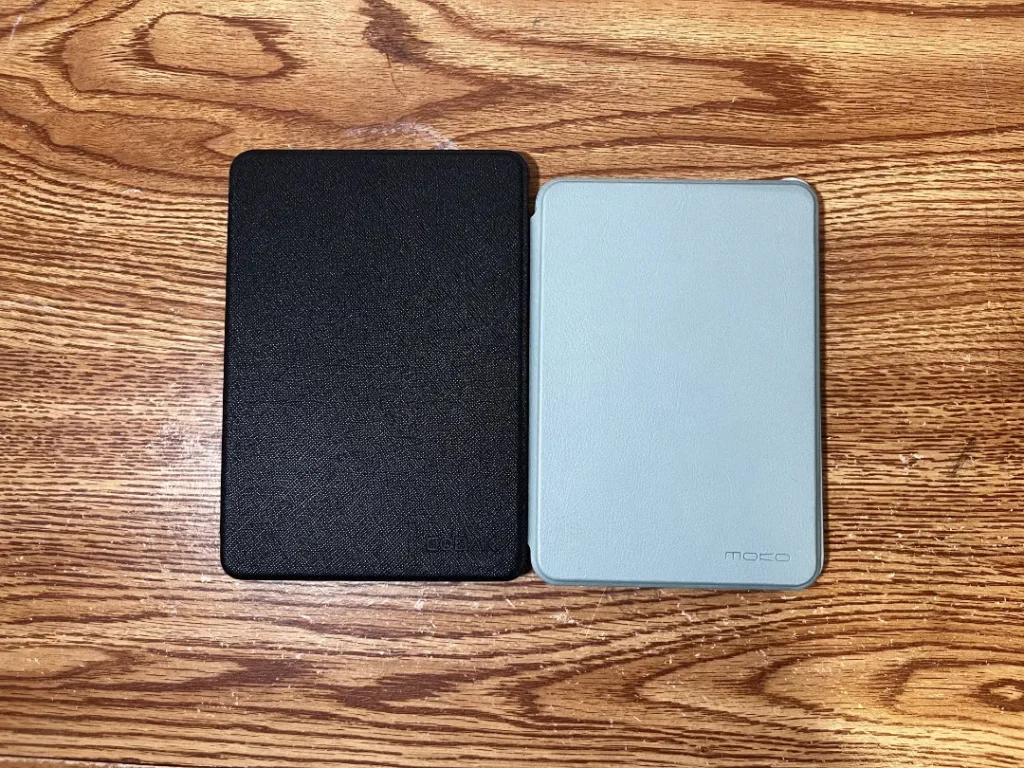
The flush design also comes with a trade-off. Because the screen is covered by a glass layer, it’s slightly more fingerprint-prone, and under certain lighting the text can look marginally softer than on the Basic’s recessed screen.
Who I’d recommend it to
People who mostly read at home, read a lot at night, or want one Kindle that feels comfortable and premium.
Kindle app on iPad
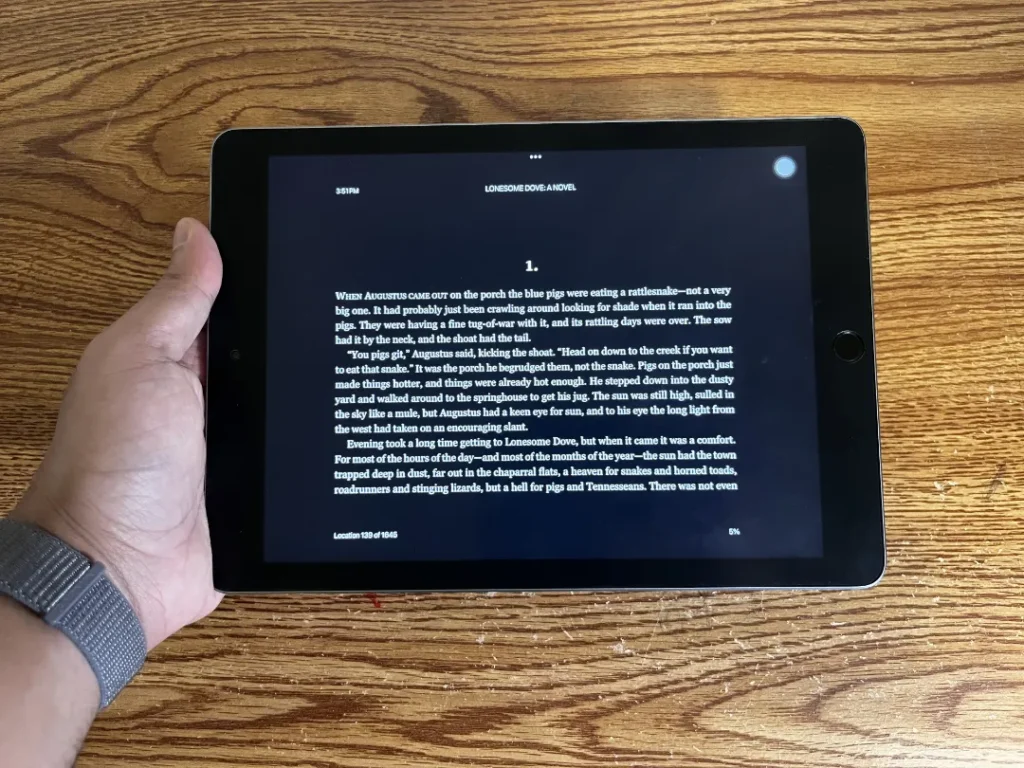
What it’s best at
Visual and technical content: Anything that needs zoom, color, diagrams, screenshots, or quick skimming works much better on a tablet.
Fast navigation: Jumping between chapters, searching, and scanning is smoother on an iPad than on e-ink.
Where it’s weaker
It’s still an iPad. The temptation to switch apps is never far away. So for deep reading, I always prefer e-ink.
Who I’d recommend it to
People reading textbooks, technical nonfiction, PDFs, or anything with dense visuals.
Kindle app on phone
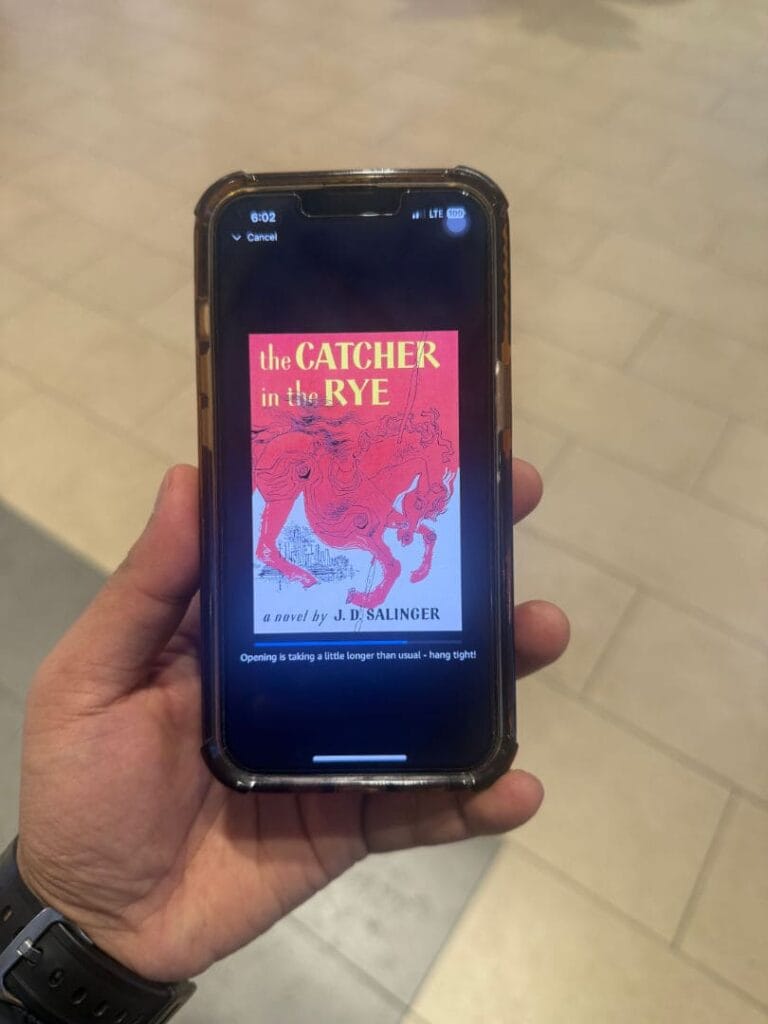
What it’s best at
Momentum: This is how I turn dead time into reading time. The phone app removes the “I don’t have my Kindle with me” excuse entirely.
Where it’s weaker
Notifications and muscle memory, the urge to scroll, can break focus. So I treat the phone app as “read in small gaps,” not deep reading.
Who I’d recommend it to
Anyone whose main problem is consistency. The phone app is the easiest win for reading more.
Kindle app on laptop
What it’s best at
Exporting highlights. No matter where I read a book, I use the laptop app to export highlights to my email. It’s the easiest and most reliable way to pull everything out in one go.
Serious nonfiction work. When I’m taking notes on a demanding book, I read on the laptop so I can research topics, take notes, and build out my review all in one place. It makes the post-reading process a lot smoother.
Where it’s weaker
It’s not cozy for long, immersive reading, especially fiction. I don’t use the laptop as a reading device. I use it as my review and writing device.
Who I’d recommend it to
Anyone who highlights a lot, students, researchers, writers: anyone trying to actually use what they read.
My personal workflow (Kindle highlights to Obsidian)
Even though I have five options, I don’t use all of them equally.
My default setup
- Kindle Basic for deep reading. It’s smaller than the Paperwhite, so I naturally reach to it more. This is my primary device and comes with me everywhere. I read on it in the morning, during any free time in the day, and in bed before I fall asleep.
- Phone Kindle app for grabbing spare five-minute windows during the day.
- Laptop Kindle app for nonfiction note-taking, reviewing highlights and turning them into usable notes.
When I switch to Kindle Paperwhite
When I know I’m going to read for a long stretch in one place and want maximum comfort.
When I switch to iPad
When the book is visual or technical and I need zoom, diagrams, or fast scanning.
My nonfiction reading workflow
- I finish a reading session on Kindle Basic, or the Kindle laptop app.
- I open the Kindle app on my laptop and export the highlights to my email as an .html file.
- I run that file through a simple Python script that restructures the highlights into the format I want.
- I paste those into Obsidian, organized by color:
- Yellow — Core idea
- Aqua — Evidence
- Pink — Quote
- Green — Actions
- Orange — My take / questions
- I select the highlights and notes that stand out most and write a review in Obsidian, then publish it on this blog.
If you want to start with one Kindle
- Choose Kindle Basic if you want the smallest, simplest Kindle that does everything you actually need. If you read more than 30 books a year, this is the better choice over the Paperwhite.
- Choose Kindle Paperwhite if you want the most comfortable, premium all-around Kindle.
- Use the iPad for technical or visual reading.
- Use your phone for reading consistency.
- Use the laptop to turn highlights into usable nonfiction notes.
FAQ (Kindle vs physical books)
Is Kindle better than physical books?
It depends on the reading experience you’re going for. Physical books win on sensory experience and true ownership. Kindle wins on convenience, night reading, portability, and post-reading workflow.
Is reading on Kindle bad for your eyes?
E-ink displays are designed to mimic paper and are generally easier on the eyes than backlit screens. If screens are bad for eyes, these are the least bad ones. The built-in light also makes night reading more comfortable without straining your eyes.
Do you actually own Kindle books?
No. You’re purchasing a license, not a transferable physical object. For readers who don’t care about resale and mainly care about access, this rarely affects day-to-day reading.
Can Kindle replace physical books completely?
It can for many people, especially if your reading life depends on portability and note-taking. But some books, image-heavy layouts, design-led books, special editions, still work better in physical form.
What’s the best Kindle for someone who reads a lot?
It depends on the use case. If you read heavily and want the lightest, most portable device, the Kindle Basic is the best choice. If you want premium features and a more comfortable screen, the Paperwhite suits you better.
Is a Kindle worth it if you love physical books?
If you love physical books but read in bed at night, carry books daily, highlight and revisit passages often, or write reviews and notes from what you read, then Kindle becomes a tool that supports your reading life, not something that changes who you are as a reader.
Who is Kindle NOT for?
Kindle is a bad fit if you lend or resell books often, read mostly design-heavy books, value the physical library experience more than portability, or simply don’t enjoy screens, even e-ink ones.
