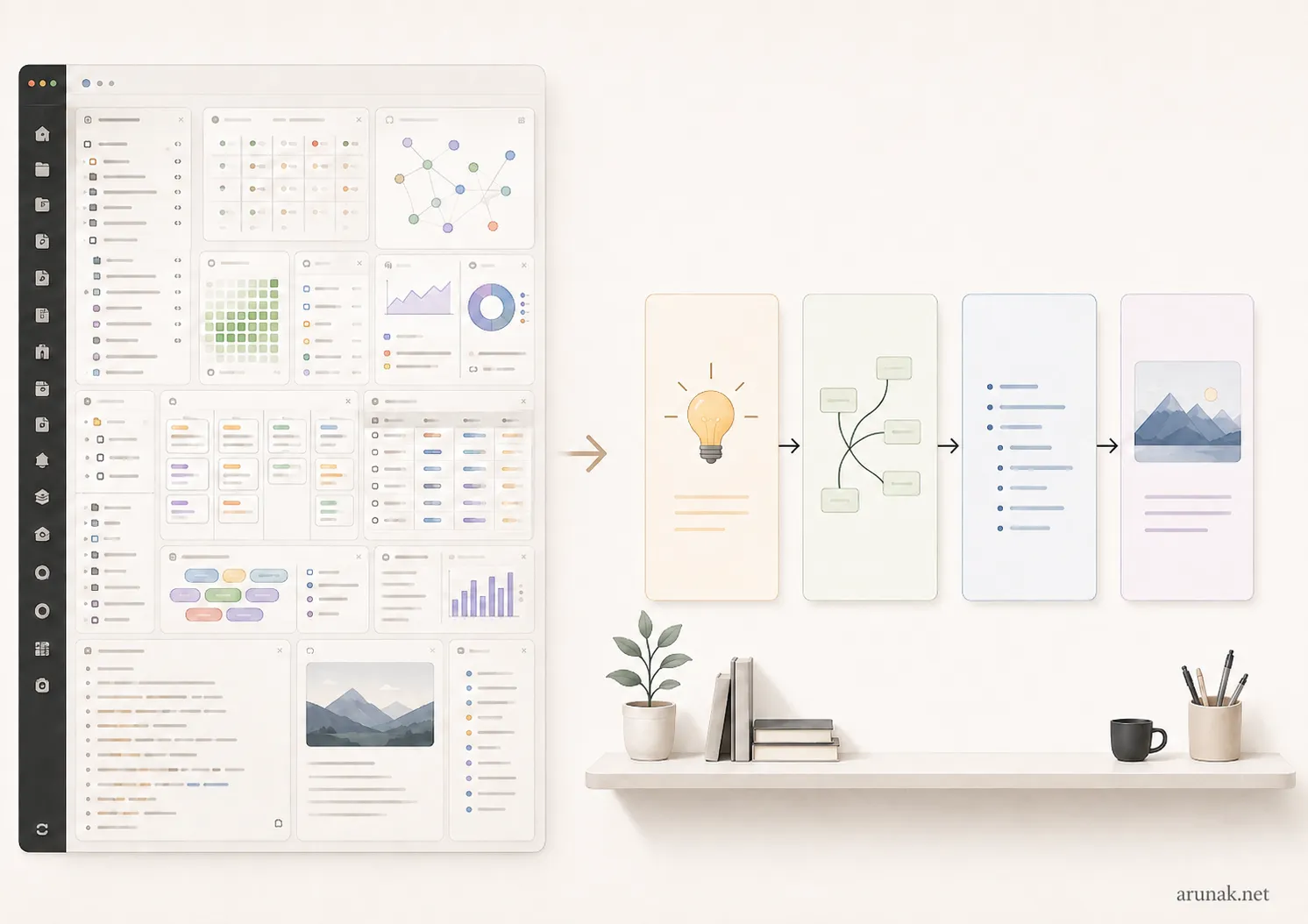
When I first began dipping my toes into the personal knowledge management space, I thought the best place to start was by learning from other people’s systems. I remember going through hours of YouTube videos, blog posts, online courses, the whole works. And there they were: complete workspaces, ready-made Obsidian vaults and systems, all at my disposal.
All the more exciting! So I got to work.
I copied and downloaded, and even paid for, some of the available workspaces I could get my hands on. Then I started using them, only to realize that I was getting nowhere.
I was trying to be productive, yes, but in practice, this whole process had me doing the complete opposite. Even though I hadn’t realized it at the time, I was just trapped in a never-ending cycle of “toxic productivity.” My digital life became even more cluttered. The worst part was that I couldn’t even pinpoint what I was doing wrong.
That was six years ago…
I still use Obsidian today, and I’ve been using it daily ever since. But what I have today is a ridiculously simple setup that I built for myself.
At least, it looks simple to me, though that’s not an opinion shared by all. A couple of weeks ago, a friend looked over my setup and, with a puzzled look on his face, said, “Whoa… your setup is so complex.”
After six years, thousands of notes, hundreds of tags, nested folders, and countless links, I guess he was right. But that doesn’t mean I was wrong.
Quite contradictory, isn’t it?
It took me years to realize that that’s the whole point. It should be contradictory. You’ll have the best Obsidian setup when it does wonders for you and seems like the simplest setup in the world, while, to someone else, it looks like a never-ending maze.
Let me explain…
TL;DR
When you download a ready-made Obsidian vault and start using it, it will eventually have to adapt to what you want to achieve with a personal knowledge management system. And when that happens, no matter how clean and organized someone else’s workspace seems at first, it can quickly become a mess.
The more pages, databases, dashboards, plugins, and workflows it comes with, the messier it may become for you. Instead, it’s far more productive and time-saving to build a simple Obsidian workspace from scratch and add complexity only when you actually need it.
This blog post guides you through a three-step process for building one that works wonders for you.
There’s no such thing as a “ready-made vault”
One of the biggest myths I came across when I was first setting up Obsidian was that there are “perfect setups” just “one click away.”
And I understand why this idea sells so well. It promises certainty. So you think, “This is a great solution to all my digital organization problems.”
But that’s far from the truth, and here’s why.
A personal knowledge management system should be exactly that: a system that (1) manages (2) personal knowledge.
Let’s go through those two parts one by one.
The goal is to manage, not to build a finished product
A good personal knowledge management system that genuinely helps you is an evergreen, constantly evolving system. It will never be a finished product. If it were finished, there would be nothing left to manage in the first place!
Over the years, our jobs, professional goals, interests, responsibilities, and ways of working will inevitably change and evolve. That’s a given. So the only way a personal knowledge management system can continue to work for us is if it evolves with us.
In other words, a well-tempered vault is impossible to design in a single sitting. It’s a slow, iterative process shaped by years of experimentation, dead ends, and ever-changing decisions.
“Time” is all the more important for building a good vault design.
So, if you adopt someone else’s Obsidian workspace and plan to use it for the long haul, chances are you’ll constantly make changes to it. After a year or two, you may realize that you’ve removed and rebuilt so much that your system looks nothing like the one you started with.
This was my experience, not only with Obsidian but also with many other personal knowledge management apps I’ve used in the past.
Your workspace works best when it’s designed just for you
Which brings us to the second point: no two people are the same.
Not to romanticize personal knowledge management systems, but they are about as personal as it gets. Obsidian is, by a long shot, the most-used app across all my devices. In some weeks, I actively type in Obsidian for well over forty hours.
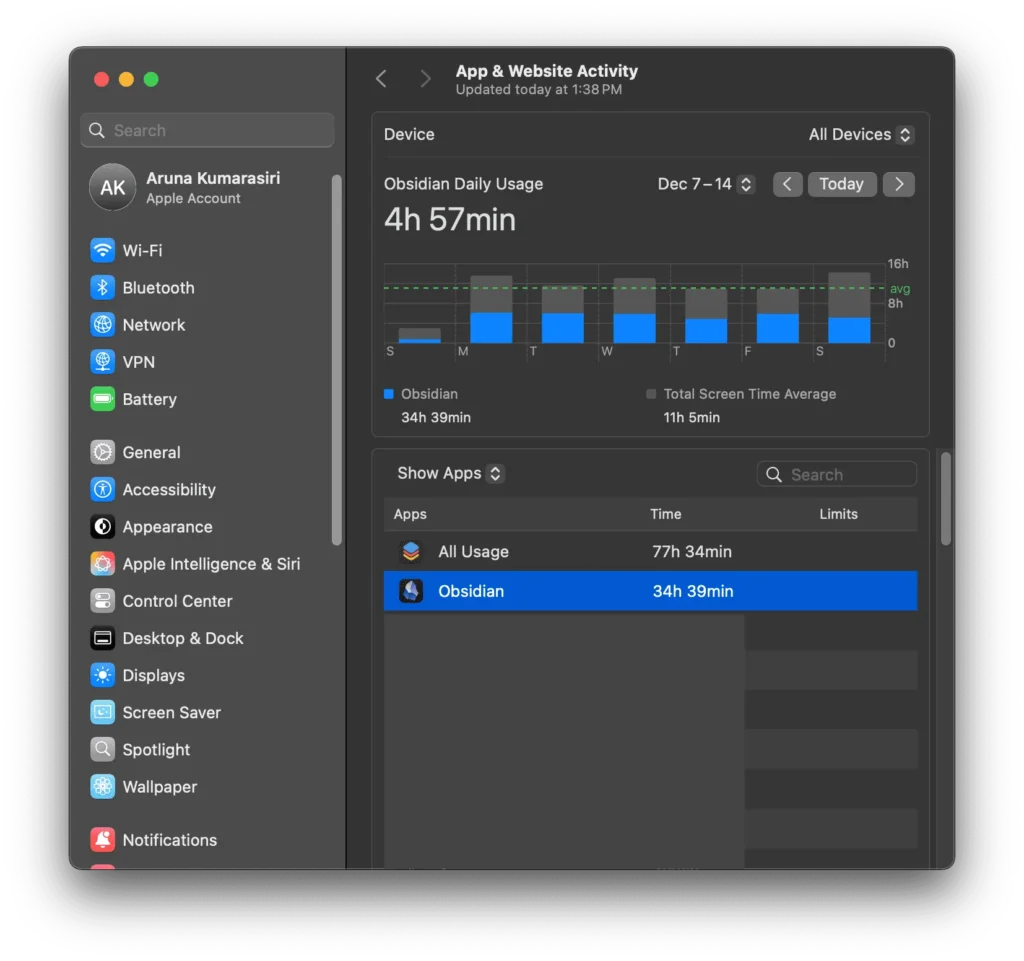
What this means is that the way an Obsidian workspace evolves over time will be fundamentally different for you and me. Our work is different. Our interests are different. Even the way we think and look for information is different.
At the end of the day, the best Obsidian setup is the one you want to return to, even when you have only five free minutes. No matter how good-looking or feature-rich a setup is, if you don’t want to keep coming back to it, it’s nothing more than another system you have to maintain.
This was one of the biggest problems I ran into—among many others, for that matter—when I first started using someone else’s Obsidian workspace.
And that brings us to the real problem with copying someone else’s workspace.
What’s wrong with copying someone else’s workspace
There’s a growing trend of people saying, “Just copy my setup,” as if doing so will solve all your problems.
The more time I spend inside a personal knowledge management system like Obsidian, the more ridiculous that idea sounds to me. No matter how clean or polished a workspace is, or how many hour-long video guides it comes with, the chances that it will make you more productive are next to none.
Why, you ask?
They solve problems you may not have
When you copy someone else’s Obsidian workspace, what you’re really copying is someone else’s system, designed to perform a particular set of tasks. But, as I mentioned before, everyone has their own way of solving problems.
For example, let’s say you download an all-in-one Obsidian workspace for “managing daily tasks.” This is a vague description, given that we all have different priorities, responsibilities, and professional goals.
- If you’re a researcher, you might need a database that helps you organize and read research papers, along with templates that integrate with a reference manager such as Zotero and render relevant information on your daily note page.
- A consultant managing several clients, however, may not care about any of that. What they might need instead is a database for meetings, contacts, projects, and client deliverables, ideally with all of it rendered on the daily note page.
- Or, if you’re a writer with a demanding publishing schedule, you might need aspects of both: research and project management. But you’d probably need a lighter version of each, because your main focus is still writing.
This brings me to the second problem: even when two people are trying to solve the same problem, they may need very different setups.
For example, two people working in research—a professor and a graduate student—might need many of the same features, but in very different proportions. A graduate student may benefit from a research-paper database fully integrated with Zotero and a reading-heavy design on the daily note page. A professor, on the other hand, may need a more streamlined version of that database, with more emphasis on contacts, projects, meetings, and supervision, since they’re managing not just one project but many.
This is very much like the problem with modern-day smartphones. The price is fixed and usually much higher than what we actually use them for. We’re just paying extra for unnecessary complexity.
The same rule applies when you copy someone else’s Obsidian workspace. With a smartphone, the price you pay is money. With an Obsidian workspace, the price is a messier digital life, and a system you’ll have to constantly maintain.
They assume different ways of finding information
After Tiago Forte popularized the term “second brain” for personal knowledge management systems, it spread across the community like wildfire. Every course, template, and ready-made system now seems to be labelled with it.
But what’s often overlooked is the fact that our brains are fundamentally different from one another. They don’t function in exactly the same way. So, the way we retrieve information also differs from person to person, which is a really important aspect to consider when designing any personal knowledge management system.
- For example, one person’s way of retrieving information may depend heavily on quotations from the books they read. They might use Obsidian primarily as a connecting tool, linking those quotations to ideas and other notes.
- Someone else may spend more time on the internet, reading articles online and collecting information from YouTube videos and podcasts. For them, a web clipper would do most of the heavy lifting.
Obsidian is great for both of these types of workflows. Its bidirectional linking and ability to import e-book highlights are far superior to those of any other personal knowledge management app I’ve used in the past. So is its web clipper.
So, that’s great.
But this is where we should be particularly careful about copying someone else’s entire workspace, because these features are only “individual building blocks” within a broader setup. Not only might it be difficult to adapt what you’ve copied to the way you work, but, more often than not, the entire “philosophy” behind the construction of that workspace may be incompatible with you.
This includes its folder structure, tagging system, and linking methods.
Now that Obsidian is becoming a major presence in the personal knowledge management arena, there is also scientific evidence supporting this idea: the way you expect to find information should influence the way you structure it.
You’re probably just importing unnecessary maintenance
Remember the opening race in The Fate of the Furious, where Dom has his cousin’s car stripped down before the race? They remove the seats, doors, battery, and anything else that adds unnecessary weight.
This is how I like to think about any system that’s supposed to “work for you.”
I used to add so much stuff to my workspace when I was experimenting with the whole second-brain concept using apps such as Roam Research, Notion, and Logseq.
And I learned my lesson.
Most of those “features” and “workflows” weren’t essential to achieving my goals. They were just padding that made the interface look more impressive.
The problem is that, just like with a car, all that padding adds unnecessary weight to the system. And with that extra weight comes unnecessary maintenance.
Every time you visit your workspace, there’s a little more mental fatigue. It keeps building until you reach a tipping point and say, “That’s it. I’m not using this anymore.”
And chances are that when you copy templates from the internet or buy someone else’s complete vault, they come loaded with this extra bodywork. But it sure makes the product much easier to sell.
Who doesn’t like a car with a shiny exterior?
But with all that shine, we overlook the whole point of why we bought it in the first place: to win races, not to drive around the block showing off its paintwork.
A leaner car, with less shine, would not be the prettiest-looking car on the block. But you’ll come to love it once you begin winning all the races with it.
Obsidian is not a solution; it’s a sophisticated tool designed to solve specific problems
All these lessons eventually led me to the realization that these apps aren’t “solutions” by themselves, even though they’re often presented as such.
They are tools—and, when used wisely, incredibly powerful ones—that we can use to build our own solutions to the problems in our digital lives.
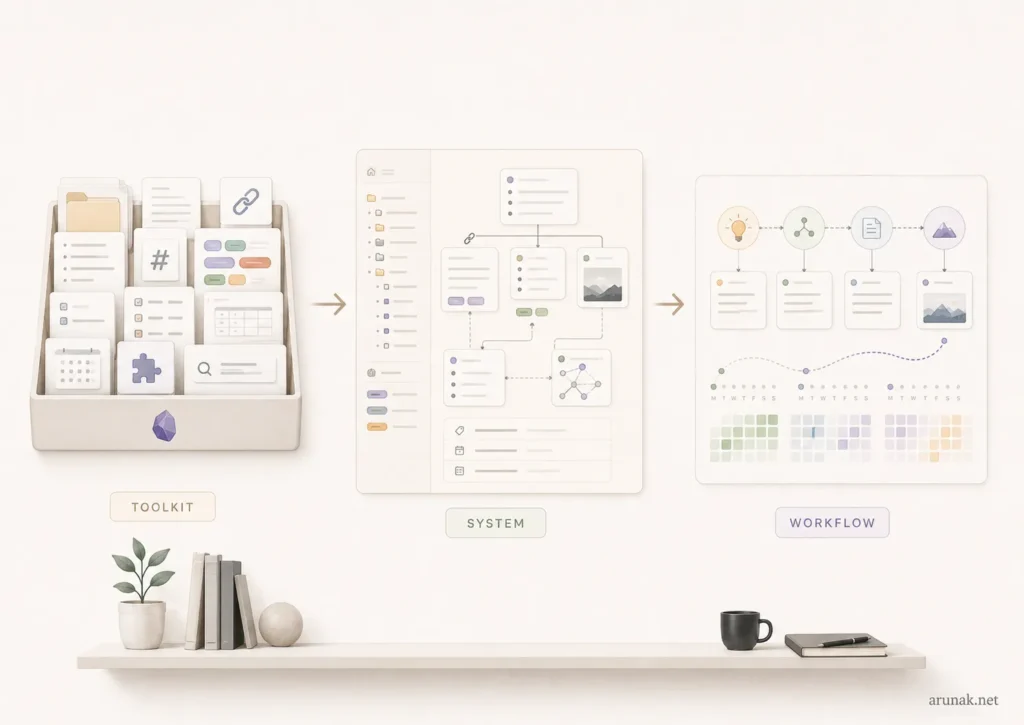
Seen this way, there are three key components that make a personal knowledge management system work for you:
- The toolkit (Obsidian): This is the part that provides all the “raw materials”: files, folders, bidirectional links, tags and nested tags, properties, search functions, Canvases, Bases, daily notes, and a huge collection of core and community plugins.
- The system: This is how you put those tools together through the decisions you make to manage your digital life. These decisions include how you name your notes, how you use tags, how you structure your folders, and what metadata you use for each type of note.
- The workflow: The workflow, then, is how those systems function and evolve day by day, week by week, month by month, and year by year.
For a writer, this might look like this:
Collect ideas → connect ideas → outline → draft → publish
For a researcher, it might look like this:
Read papers → create literature notes → generate research questions → conduct experiments → document results and feedback → publish
Looking at these two workflows, it’s quite clear why there’s no perfect one that fits everyone.
It depends…
It depends on what you do, what your priorities are, and what kind of information you work with.
Start with what you need to accomplish, not Obsidian’s features
If you’ve made it this far through the article, well, congratulations!
You survived all the necessary pessimism.
But that ends now…
Because there is a way to build an Obsidian workspace that works wonders for you.
Even though I was at pains to emphasize that it takes years to build a system that works well, you might also remember that I mentioned, as many times as possible, that you can never have a finished product.
That means there is no wrong way to start building one.
When I first started building mine from scratch, I had only a couple of tags, four folders, the core plugins that come with Obsidian, and notes that were simply connected to my daily notes.
That’s it.
But you might be wondering, So, you said all these things just to tell me to “start”?
Nope!
There’s one really important step before you dive in.
This step is what I call “the vault on demand.”
1. What do I want Obsidian to help me do?
Write down exactly what you want to manage or accomplish with Obsidian.
Using verbs and clear-cut outcomes is key here.
For example, “I want to build a second brain” is how you get trapped in the toxic productivity loop. So is “organize my life.”
They’re too vague.
Some better answers might be:
- To read, manage, and connect research papers or other pieces of writing
- To keep track of my projects
- To manage my weekly tasks in one place. For example, Obsidian was particularly helpful for managing my teaching assistant work when I was a graduate student
- To capture information from the web, organize the books I read, and keep useful quotations and ideas from them in one place
- To manage a writing project, whether that’s a blog post or a research paper
2. What problems am I currently facing in my digital life?
As I mentioned before, if there’s no problem, there’s no point in investing our time in coming up with a solution.
So, it’s much more effective to start with a problem in mind.
For example, taking one answer from the previous step, let’s say you want to manage the books you’ve been reading and keep all the ideas from them in one place.
At this point, you’ve probably been reading for some time and trying to keep track of this information somewhere.
But you don’t like your current method.
There’s some friction.
This is the problem.
For example, if you’ve been using a Microsoft Word document to manage this, one thing holding you back might be that you can’t easily connect ideas from different books. Or accessibility might be the problem: it takes too long to find a particular quotation or idea when you need it.
The importance of this step is that, once you’ve identified these problems, you know exactly what to focus on when setting up Obsidian.
For example:
- If the problem is that ideas from different books are isolated, you can create individual notes for those ideas and link related ones together.
- Or, if finding quotes from the books takes too long, you can add a few consistent properties or tags that would help you find them within seconds.
If you skip this step, you’ll probably end up watching countless videos and reading community posts about “building a book vault in Obsidian.” Then you’ll add unnecessary tags, folders, and workflows simply because other people use them.
And, before you know it, you’re back to square one: you’ve wasted your time making your system too complex just for the sake of it.
3. What should the outcome be?
With any good Obsidian vault design comes a well-defined outcome. Ideally, the system should help you achieve that outcome more effectively than you would without it.
Maybe the goal is to save time or money, or to use less mental space while getting things done.
Whatever it is, you’ll design a better Obsidian workspace if you know—or at least have a rough idea of—what the desired outcome is.
It could be:
- Publishing a research article
- Completing a project
- Publishing blog posts
- Conducting weekly, monthly, or yearly reviews
Once you’ve figured out the outcome, you can work backwards.
This helps you understand the input: what information should go into the system and, most importantly, what should come out of the process. It also helps you decide what kind of workflow would be the most efficient for that particular task.
For example, when managing projects, I find it effective to keep a Longform tab open on the side so that I can stay on top of my daily progress. I can see what I’m working on every time I open Obsidian.
But I wouldn’t do this for a task that is more long-term and slow-moving. For vocabulary building, for example, I’d keep separate note files in a folder and embed them at the bottom of my daily note using Obsidian Bases. That way, I can see them every day without having them constantly in my line of sight whenever I’m using the app.
Copy solutions, not systems
So, all this naturally begs the question: “Does this mean there’s no point in copying other people’s Obsidian templates at all?”
The answer is no. They can be valuable.
But they’re only valuable if you treat them not as “complete systems,” but as “solutions.”
Like I explained before, a complete workspace probably won’t help you much unless you do the exact same work as its creator and, somehow, your brain works in exactly the same way. That’s very rare. But copying someone’s workflow for a specific problem you have can save you a great deal of time.
For example, one of the biggest problems I had when starting with Obsidian was figuring out how to read, manage, and connect research papers without unnecessary hassle.
The Zotero–Obsidian workflow I found online was the perfect solution at the time. Though what I have now is a heavily customized version built around my specific needs, it gave me a great starting point.
It allowed me to begin several steps ahead rather than starting from step zero, saving me a huge amount of time.
My point is that, even though it may take some time, you should build the foundation—the backbone of your Obsidian workspace—for yourself first.
Then, you can bring in other people’s “solutions,” adapt them, and fit them into the right places within the foundation you’ve already built.
Frequently asked questions
What is the best Obsidian setup for beginners?
For someone just starting out, especially if they haven’t used a note-taking app like Obsidian before, the best place to begin is with Daily Notes, a built-in core plugin.
You can then pair it with the third-party Calendar plugin so that you can easily track your days and navigate between your daily notes.
Once you need to expand beyond daily task tracking, the next step might be to introduce a simple folder structure, followed by tags and nested tags. These can help you manage the new notes you create for different projects, areas of responsibility, and interests.
There’s almost always a third-party plugin designed for a particular task. However, if you plan to use Obsidian for the long run, it’s wise to depend on only a handful of actively updated and well-maintained community plugins.
Should I copy someone else’s Obsidian vault?
A more effective approach would be to copy individual solutions: ideas for templates, or the way someone else manages their tags or folder structure.
Copying an entire vault, on the other hand, would add unnecessary complications to your own workspace.
Everyone thinks and works differently. So, chances are that someone else’s workspace—their workflows, the way they retrieve information, and how they organize their work—won’t fit your way of doing things.
If you copy someone else’s entire workspace, you’ll probably spend a considerable amount of time decluttering and rebuilding it to match your own needs and personality.
So, why not create one yourself?
Seen this way, building your own vault from the beginning would probably save you time and give you a system that works much better for you.
How should I organize my Obsidian vault?
A tool like Obsidian sits in the middle of what I call a “value-production process.”
At one end, information goes in. At the other, value comes out.
So, the most effective way to organize your Obsidian vault is to think carefully about how you expect to retrieve information and what kind of value you want to produce from it.
There’s no universal folder or tag structure. The best setup is the one that matches the way you work and your personality.
That said, Obsidian is, by far, the best tool I’ve found for such a task. The freedom it gives you to make the system your own is hard to beat.
Do I need plugins to use Obsidian effectively?
The core plugins should be able to handle 90% of almost any everyday workflow.
And if you’re someone who wants a clean, long-lasting workspace, it’s quite sensible to stick mainly with Obsidian’s core plugins.
That said, there are a handful of regularly updated, well-maintained community plugins that can take your workflow to a whole new level.
Some that I use every day are Dataview, QuickAdd, and Longform.